Best Frame Rate for YouTube: 24 vs 30 vs 60 FPS
 Ryan Kowalski · August 17, 2026 · 9 min read
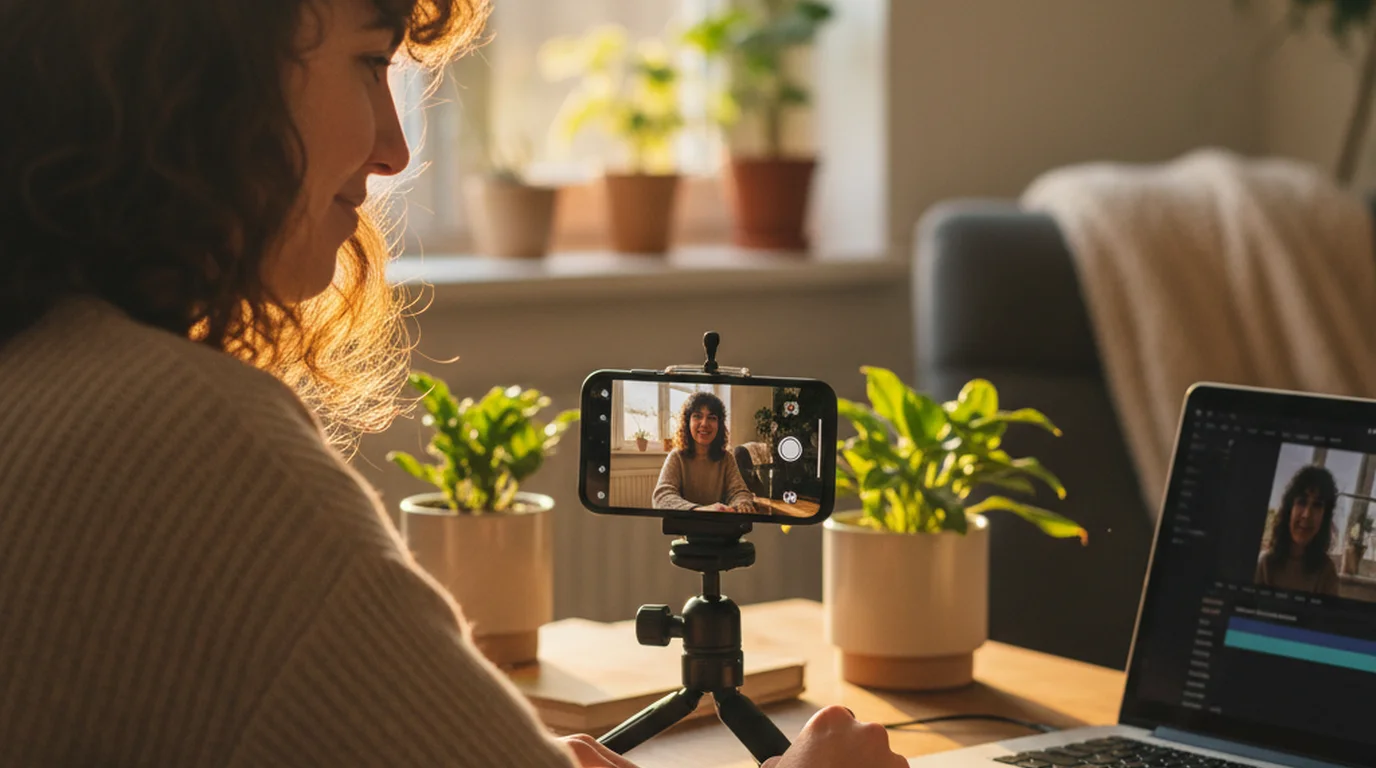
Every camera app asks you to pick a frame rate before you record, and almost nothing explains what you're choosing between. The advice you find is usually written for people shooting action or gameplay, which is the opposite of what most YouTube videos actually are — someone talking to a lens. This guide covers what the best frame rate for YouTube is in practice, what each option costs you, and the one case where the answer genuinely changes.
For most YouTube videos, 30 fps is the right choice. YouTube supports 24, 25, 30, 48, 50, and 60 fps, and it re-encodes everything you upload regardless. Choose 24 fps for a deliberately filmic look, 30 fps for talking-head and tutorial content, and 60 fps only when something in frame moves fast or you plan to slow footage down in the edit.
Which is better for recording YouTube videos, 30fps or 60fps?
30 fps, for almost every video where a person is talking to the camera.
Frame rate determines how many still images per second your camera captures. Doubling that number only helps if there is enough movement between frames for the extra samples to describe. When you're delivering a scripted piece to a lens — a tutorial, a review, a lesson, a piece-to-camera — the only things moving are your face and your hands. There is nothing for 60 fps to resolve that 30 fps missed.
What you pay for it is real. Doubling the frame rate roughly doubles the bitrate at the same resolution, which means roughly double the file size and noticeably more battery and thermal load on a phone. In our own recording sessions the difference shows up first as storage pressure on long takes, not as visible quality.
60 fps earns its cost in three situations: sports and action, gameplay capture, and any footage you intend to slow down in post. Shot at 60 fps and played back at 30, motion stays smooth at half speed. That's a real editing capability, and it's the honest reason to choose it.
Is 24 or 25 FPS better for YouTube?
Use 24 fps if you're in a region on the NTSC standard (North America, Japan, much of South America) and 25 fps if you're on PAL (most of Europe, Australia, much of Asia and Africa). The difference has nothing to do with quality — it is a historical match to mains electricity frequency, 60 Hz versus 50 Hz.
Frame rates of 24 and 25 fps exist as separate standards because broadcast systems were built around local mains frequency: 60 Hz regions standardised on NTSC, 50 Hz regions on PAL. Artificial lights pulse at that same frequency, so a camera sampling at a frame rate that does not divide evenly into it can record visible banding. Matching frame rate to the local grid removes the artefact at source.
The practical reason to care is artificial lighting. If you shoot indoors in Europe and see a rolling flicker or horizontal banding at 24 fps under LED or fluorescent fixtures, switching to 25 fps usually removes it.
For a YouTube upload, the audience cannot tell 24 from 25. Pick the one that matches your power grid and your lights, then leave it alone.
Which frame rate is best for 1080p video?
The same one you'd pick at any other resolution. Frame rate and resolution are independent settings that answer different questions — resolution is how much detail is in each frame, frame rate is how many frames there are. For a talking-head video at 1080p, 30 fps is the sensible default.
YouTube's recommended upload encoding settings list 8 Mbps for 1080p at standard frame rates and 12 Mbps for 1080p at high frame rates of 48 to 60 fps in SDR. That is a 50% increase in data for an identical frame size, which makes it the clearest published statement of what a higher frame rate costs before any visible benefit appears.
If you're deciding on resolution rather than frame rate, that's a separate question with its own trade-offs — our guide to YouTube video size and resolution covers aspect ratio, upload dimensions, and file size.
Is 1080p 30fps good for YouTube?
Yes. 1080p at 30 fps is a completely publishable standard for YouTube and remains the most common combination on the platform for talking-head content.
The case for going beyond it isn't about whether 1080p30 looks acceptable — it does. It's about headroom. Recording at a higher resolution lets you crop into a shot, stabilise footage without losing detail, or pull a vertical cut out of a horizontal take for Shorts. None of that requires a higher frame rate.
So the upgrade path for most creators runs through resolution, not frame rate: go from 1080p30 to 4K30 before you consider 1080p60.
Is 4K better at 30 or 60fps?
4K at 30 fps, unless you specifically need slow motion or you're capturing fast movement.
This is where the cost curve gets steep. Going from 1080p to 4K quadruples the pixel count per frame; going from 30 to 60 fps then doubles the number of frames. 4K60 asks a phone to process roughly eight times the data per second of 1080p30, and phones respond to that by getting hot and by filling storage quickly. Recording 4K60 also produces files that a lot of laptops struggle to scrub through smoothly in an editor.
Google's published upload targets for SDR put 2160p (4K) at 35 to 45 Mbps at standard frame rates and 53 to 68 Mbps at 48 to 60 fps, against 8 Mbps for 1080p at standard frame rates. Moving from 1080p30 to 4K60 therefore raises the recommended bitrate by roughly seven times, which is the storage and thermal cost a phone absorbs before a viewer sees any difference.
4K30 gives you the thing that actually improves a talking-head video — detail and cropping headroom — without the frame-rate multiplier on top.
Our iPhone and iPad app added 4K recording in version 3.1 with a choice of 24, 30, or 60 fps, so the frame rate is now something you set deliberately before a take rather than inherit from a default. The teleprompter app for iPhone page covers how that sits alongside Camera mode and the text-area controls.
Worth being precise about scope: this is an iPhone and iPad feature. The Mac app's 3.1 release covered scroll smoothness and recording stability, not resolution or frame-rate selection, and the browser version records in Recording mode but exposes no frame-rate choice at all. Both are listed in the release notes.
Does 60fps look better than 30fps?
It looks smoother, which is not the same thing as better. Whether smoother is desirable depends entirely on what you are shooting and what you want the footage to feel like.
Higher frame rates reduce motion blur between frames. In gameplay or sports that reads as clarity. In a person talking to a camera it reads as immediacy — closer to live broadcast or a video call than to film. Some creators want that. Many do not, and the ones who do not are reacting to a genuine perceptual effect, not imagining it.
There's also a viewing-condition catch. A 60 fps upload only plays back at 60 fps if the viewer's device and connection support it. On a throttled mobile connection YouTube serves a lower-quality stream, and the frame rate you paid for in file size and battery never reaches that viewer.
Why aren't movies filmed at 60fps?
Because 24 fps is what audiences have been trained on for a century, and departing from it makes footage read as cheap rather than as high quality.
The effect has a name in the industry — the "soap opera effect." Television production has historically shot at higher frame rates than film, so higher-frame-rate motion carries an association with daytime TV and live broadcast rather than cinema. When The Hobbit: An Unexpected Journey was released at 48 fps in 2012, a substantial share of the reaction was that it looked like a behind-the-scenes video rather than a film, despite being technically sharper.
The lesson for a YouTube creator is that frame rate is a stylistic choice with an established vocabulary, not a quality dial that goes up. 24 fps signals "produced." 60 fps signals "live."
How frame rate relates to your speaking pace
Here's a connection most frame-rate guides miss, because they're written for people shooting things rather than people talking.
If you're reading from a script — a teleprompter, notes taped near the lens, a memorised outline — your delivery has a measurable pace. Most people speak at 130 to 150 words per minute on camera. That pace determines your scroll speed, your take length, and therefore your file size. A frame rate is a per-second cost, so the longer you talk the more the choice compounds: a nine-minute take at 4K60 is a materially different file from the same take at 4K30, and the difference buys you nothing when the only motion in frame is your jaw.
This is also why the "record everything at the highest setting" instinct backfires for scripted content specifically. It's sound advice for a wedding videographer who can't reshoot. It's wasted overhead for someone recording a tutorial they can run again in two minutes. If you don't know your own pace, the speaking speed calculator measures it against a timer, and from there you can estimate how long your takes will actually run before you commit to a frame rate.
A short version you can act on
- Talking to camera, tutorials, reviews, lessons: 30 fps. Move to 4K30 before you consider 60 fps.
- Deliberately filmic look: 24 fps, or 25 fps in PAL regions and any time LED flicker appears.
- Action, gameplay, or planned slow motion: 60 fps, and accept the storage and battery cost.
- Don't treat frame rate as a quality setting that goes up. Treat it as a description of what is moving in your shot.
Set it once for the kind of video you make and stop thinking about it. The frame rate you chose has never been the reason a scripted video underperformed; running out of storage mid-take, or losing your place in a script, is a much more common failure.
Frequently Asked Questions
Which is better for recording YouTube videos, 30fps or 60fps?
30 fps for nearly all talking-head content. 60 fps only adds visible smoothness when something in frame moves quickly, and it roughly doubles bitrate, file size, and battery drain at the same resolution. Choose 60 fps if you are recording action or gameplay, or if you plan to slow footage down in the edit.
Is 24 or 25 FPS better for YouTube?
Neither looks better. Use 24 fps in NTSC regions such as North America and Japan, and 25 fps in PAL regions such as most of Europe and Australia. The choice matches your mains electricity frequency, which matters because some LED and fluorescent lights produce visible banding at a mismatched frame rate. Viewers cannot tell the two apart.
Which frame rate is best for 1080p video?
30 fps for scripted delivery to camera. Frame rate and resolution are independent settings, so 1080p does not call for a different frame rate than 4K does. YouTube recommends 8 Mbps for 1080p at 30 fps versus 12 Mbps at 60 fps, so the higher frame rate costs 50% more data for the same frame size.
Is 1080p 30fps good for YouTube?
Yes, and it is still the most common setting for talking-head video on the platform. The reason to move beyond it is cropping and reframing headroom, which comes from higher resolution rather than higher frame rate. Go from 1080p30 to 4K30 before you consider 1080p60.
Is 4K better at 30 or 60fps?
4K30 for scripted delivery. 4K60 processes roughly eight times the data per second of 1080p30, which makes phones run hot, fills storage fast, and produces files many laptops struggle to edit smoothly. Choose 4K60 only for fast movement or planned slow motion.
Does 60fps look better than 30fps?
It looks smoother, which is not automatically better. Reduced motion blur reads as clarity in gameplay and sports, but as live-broadcast immediacy in a person talking to camera, an effect many creators actively avoid. A 60 fps upload also only reaches viewers whose device and connection can play it back.
Why aren't movies filmed at 60fps?
Because a century of cinema at 24 fps has trained audiences to associate higher frame rates with television rather than film. The reaction to The Hobbit at 48 fps in 2012 was widely that it looked like behind-the-scenes footage. Frame rate carries a stylistic association, not a quality ranking.
Can I change the frame rate in a teleprompter app?
In our iPhone and iPad app, yes. Version 3.1 added 4K recording with a choice of 24, 30, or 60 fps, set before you start a take. The Mac app's 3.1 release covered scroll smoothness and recording stability rather than resolution or frame-rate options, and the browser version records in Recording mode but gives you no frame-rate choice.
Ryan KowalskiRyan Kowalski reviews iOS and macOS apps for content creators, with a focus on teleprompter, camera, and productivity tools. His rule: use an app daily for at least two weeks before writing a word about it.
Set the Frame Rate, Then Read Your Script Straight to Camera
Teleprompter-Scrolling Scripts records in 4K at 24, 30, or 60 fps on iPhone and iPad while your script scrolls over the live camera view. Free, no subscription.
Use Free Online Teleprompter Get the Free App