Speaker at a lectern at a club meeting while a green timing light glows beside her

Free Toastmasters Timer Presentation timer with color cards

Pick a speech type, press Start, and the card turns green, yellow and red right on time. Go full screen on a laptop, tablet or phone and hold it up for the speaker.

Speech type

Card times (min:sec)

Green

:

Yellow

:

Red

:

Ready

0:00

Space: start / pause · R: reset · F: full screen · tap the card to start or pause

SpeakerRoleTimeResultRemove

Times you save appear here, ready to read out or paste into the meeting notes.

How to use the Toastmasters timer online

The timer shows a green card when the speaker reaches the minimum time, yellow at the midpoint and red at the maximum. Pick the speech type, start on the first word and hold up the colour.

The timer role at a Toastmasters meeting

The timer keeps every segment of the meeting on schedule. At the start, the timer explains the timing rules and shows the signals. During the meeting, the timer starts the clock on each speaker's first word, shows green, yellow and red at the marks, and notes the finishing time. Near the end, the general evaluator calls for the timer's report.

  1. Pick the speech type. The card times fill in; type your own for a custom slot such as a 10–12 minute keynote.
  2. Start on the first word. Press Start, the Space bar, or tap the card. Toastmasters times from the first verbal or nonverbal communication with the audience.
  3. Hold up the colour. Turn on Beep at each card for an audio cue, and leave Flash when overtime on to mark the end of the qualifying window.
  4. Save the time. Type the speaker's name and press Save time and reset. Copy report puts every name, role, time and result on your clipboard.
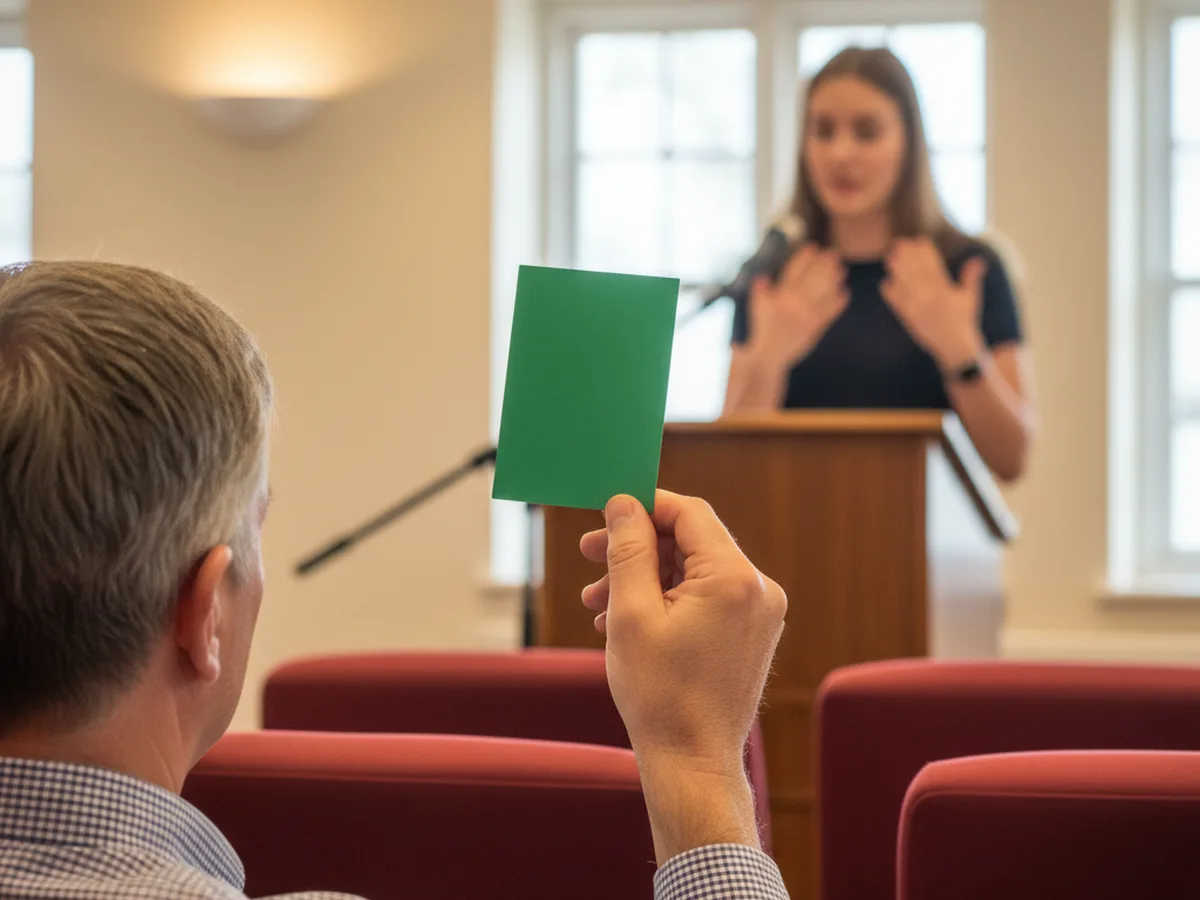
Club timer in the front row holding up a green card while a speaker talks at the lectern

Timing rules by speech type, from Table Topics to evaluations

Pick Table Topics and the table topics timer runs 1 to 2 minutes: green at 1:00, yellow at 1:30 and red at 2:00. The Ice Breaker runs 4 to 6 minutes, most prepared speeches 5 to 7, and evaluations 2 to 3.

Prepared speeches and evaluations get 30 seconds either side of the cards to qualify, and Table Topics gets 30 seconds after the red card. The marks follow the Toastmasters Magazine guide to speaking time.

Pathways projects list their own lengths, so enter custom times for anything longer than 7 minutes. Club rules can differ; the Toastmaster of the meeting or the contest chair has the final word.

Table Topics 1–2 min

  • 1:00
  • 1:30
  • 2:00

Qualifies 1:00 – 2:30

Ice Breaker 4–6 min

  • 4:00
  • 5:00
  • 6:00

Qualifies 3:30 – 6:30

Prepared speech 5–7 min

  • 5:00
  • 6:00
  • 7:00

Qualifies 4:30 – 7:30

Evaluation 2–3 min

  • 2:00
  • 2:30
  • 3:00

Qualifies 1:30 – 3:30

Longer projects custom

  • Minimum
  • Midpoint
  • Maximum

Window set by your club

Use a phone or laptop as the timing light

Press Full screen (or F) and the whole screen becomes the card. On a phone, hold it up from the back of the room; the screen stays awake while the timer runs in browsers that support it, and tapping the card starts and pauses the clock.

For an online meeting, share this browser window in Zoom or Teams so the colour fills your shared screen, or turn on Hide clock and point your webcam at a phone showing the card. The same presentation timer works for class talks, pitches and conference slots: set your own green, yellow and red times.

Audience member holding up a phone whose screen glows red as a timing light

Presentation timing tips

Check the script length first

Paste your draft into the speech time calculator to see how long it runs at your pace. At about 130 words per minute, a 5–7 minute speech holds roughly 650 to 900 words.

Aim for the yellow card

Plan the content to finish near the midpoint. Pauses, laughter and audience reactions add time on the day, and the space between yellow and red absorbs them.

Mark checkpoints

Note where you should be at the green card. If the opening runs long in rehearsal, trim it there and keep the close intact.

Rehearse the way you will deliver

Read your draft aloud with this timer running beside it. Once the timing holds, move to notes or memory for the meeting itself.

Teleprompter-Scrolling Scripts on iPhone, iPad and Mac, with the script scrolling over the camera

Next step

Rehearse your speech and time it

Paste your speech into the free online teleprompter and read it aloud at a steady pace with this timer running. On iPhone, iPad and Mac, Teleprompter-Scrolling Scripts records each rehearsal while the script scrolls: Camera mode films you with the text next to the lens, and Voice mode records audio only. Play each take back and tighten the parts that run long. Free to download.

Toastmasters timer FAQ

What do the green, yellow and red cards mean at Toastmasters?

Green means the speaker has reached the minimum time, yellow means the midpoint between minimum and maximum, and red means the maximum time. For a 5-7 minute speech, green shows at 5:00, yellow at 6:00 and red at 7:00. The red card is the signal to finish the current thought and close.

How long is a Table Topics speech?

One to two minutes: green at 1:00, yellow at 1:30 and red at 2:00. Table Topics has its own window: a response qualifies from 1:00 to 2:30, so the 30-second allowance applies only after the red card.

How long is the Ice Breaker speech?

The Pathways Ice Breaker runs 4 to 6 minutes, so the cards show green at 4:00, yellow at 5:00 and red at 6:00. With the 30-second allowance on each side, it qualifies from 3:30 to 6:30.

What is the 30-second grace period in Toastmasters?

Prepared speeches and evaluations get 30 seconds either side of the timing marks. A 5-7 minute speech qualifies from 4:30 to 7:30, and a 2-3 minute evaluation from 1:30 to 3:30. Table Topics qualifies from 1:00 to 2:30. In contests, finishing outside the window means disqualification, so clubs follow these limits closely.

How long is a speech evaluation?

Two to three minutes: green at 2:00, yellow at 2:30 and red at 3:00. With the 30-second allowance, an evaluation qualifies from 1:30 to 3:30.

Can I use my phone as the timing card?

Yes. Open this page on the phone, pick the preset, tap Full screen and hold the phone up facing the speaker. The whole screen turns green, yellow and red, tapping the card starts and pauses the clock, and the screen stays awake while the timer runs in browsers that support it.

How do I time speakers in an online Toastmasters meeting?

Share this browser window in Zoom or Teams so the colour fills your shared screen, or turn on Hide clock and point your webcam at a phone showing the card.


More free tools: the speech time calculator checks how long your script runs before you rehearse, the script timer fits video scripts to TikTok and YouTube lengths, and the webcam test and mic test check your camera and microphone before an online meeting.