Editing desk with a camera, memory cards and a video timeline on the screen

Free tool · No upload · No sign-up

WebM to MP4 Converter Convert WebM to MP4 free online, on any device

Choose a WebM video and download it as an MP4 that plays on any phone, computer or editor. The WebM to MP4 converter is free and runs in your browser, so the recording is never uploaded.

  • Plays everywhere
  • No watermark

How to convert WebM to MP4

Drop in the recording, convert, and save an MP4 that every app opens.

Convert WebM to MP4 in three steps

  1. Press Choose a video and select the WebM file, or drag it onto the box.
  2. Press Convert to MP4. The status line reads “Re-encoding to H.264” while the picture is converted; keep this tab open until it finishes.
  3. Play the MP4 in the page to check it, then press Download MP4.

The converter is a 30 MB download the first time, cached by your browser afterward. Re-encoding uses your device's processor, so a short clip is done soon and a long lecture recording takes a while; a desktop computer is the faster choice for anything over a few minutes.

screen-recording.webm
 ├─ video · VP9 · 2560×1440
 │      │ decode → encode H.264 (x264, CRF 23)
 └─ audio · Opus · 48 kHz
        │ decode → encode AAC 192 kbps
                 ▼
      screen-recording.mp4
      plays on iPhone, Windows, Mac, editors
WebM and MP4 use different codec families, so both the picture and the sound are re-encoded.

Why WebM needs re-encoding

WebM is the open video format Google built for the web. Its video is VP8, VP9 or AV1 and its audio is Opus or Vorbis. MP4 players on iPhone, Windows, smart TVs and in most editors expect H.264 video and AAC audio, so the streams themselves have to change, not just the container.

The converter decodes each frame and encodes it to H.264 at CRF 23, a constant-quality setting that keeps text and UI sharp in screen recordings. If a recording already stores H.264 inside the WebM, which some Chrome-based recorders do, the video is copied as is and the job finishes much faster.

WebMMP4 from this tool
Video codecVP8, VP9 or AV1H.264
Audio codecOpus or VorbisAAC, 192 kbps
Made byBrowsers, screen recorders, OBS, web appsPhones, cameras, editors
Opens inChrome, Firefox, Edge, VLCVirtually every player, editor and upload form
Both formats are open and royalty-free to play; MP4 with H.264 has the wider device support.

Recordings that usually come as WebM

Anything recorded inside a browser tends to be WebM: tab and screen captures from browser extensions, video messages from web-based recorders, meeting tools that save in the browser, webcam recordings made on a web page, and clips saved from sites that serve WebM. Animated stickers and short loops downloaded from the web are often WebM too.

Convert them to MP4 when they need to go into PowerPoint or Keynote, onto an iPhone, into iMovie or Premiere Pro, or to a platform that lists MP4 as its upload format.

Hand holding an iPhone cabled to a laptop, ready to copy a converted video

What is the difference between WebM and MP4?

WebM is an open video format made for web browsers, usually holding VP8, VP9 or AV1 video with Opus or Vorbis audio. MP4 is the standard format for phones, cameras and editors, usually holding H.264 video with AAC audio. Converting WebM to MP4 re-encodes both streams so the file plays on iPhone, Windows, TVs and in editing apps.

Both formats can look excellent. The difference that matters day to day is support: browsers play WebM well, while desktop apps, Apple devices, presentation software and many upload forms are built around MP4 with H.264. For a recording that needs to leave the browser, MP4 is the safe choice.

How the WebM to MP4 conversion works

The page runs FFmpeg compiled to WebAssembly, so the whole job happens in the browser tab. It checks which codecs the WebM contains, then decodes every frame and encodes it with x264 using the veryfast preset at CRF 23. Constant-quality encoding spends more data on busy scenes and less on a static slide, which suits screen recordings where most of the frame stays still.

The sound is decoded from Opus or Vorbis and encoded to AAC at 192 kbps, clear for voice and music alike. The finished MP4 has its index at the start, so it begins playing straight away when embedded on a page or opened from a shared drive. Because every frame is processed, the time depends on the length and resolution of the recording and on your device's processor.

Why the MP4 may be larger than the WebM

VP9 and AV1 are newer codecs than H.264 and pack the same picture into fewer bits. An MP4 converted from a WebM can therefore come out somewhat larger, especially for long, detailed recordings. That extra size is the price of playing everywhere. For screen captures with mostly static content, the difference stays modest, since CRF encoding spends little data on frames that barely change. Converting the other way, MP4 to WebM, is a separate job usually done by web developers who want lighter files for HTML5 video.

Your recording stays on your device

Screen recordings show inboxes, dashboards, customer data and private chats. Upload-based converters send all of that to a server. This converter never transfers the file: it loads once, then works on your computer or phone. There is also no account, no watermark and no file cap beyond what your device's memory can hold, with files up to about 2 GB working best.

WebM to MP4 on Mac, Windows and iPhone

On a Mac, open this page in Safari, Chrome or Firefox and drop the WebM onto the box; the MP4 then opens in QuickTime Player, Keynote and iMovie. On Windows, the MP4 plays in the built-in Media Player and imports into PowerPoint and Clipchamp. On iPhone and iPad, Safari runs the converter too: pick the WebM from the Files app and the MP4 saves back to Downloads, where you can share it or save it to Photos. VLC on Windows and Mac can also convert through Media > Convert / Save.

Practical uses

  • Tutorials and demos. Turn a browser screen capture into an MP4 for a course platform or a help center.
  • Slide decks. Insert the MP4 into PowerPoint or Keynote so it plays during the presentation.
  • Video replies and updates. Send a recorded walkthrough as an MP4 that opens on any phone.
  • Editing. Bring the clip into Premiere Pro, Final Cut Pro or CapCut and cut it with your other footage.

A narrated walkthrough often has long pauses; the silence remover cuts them out. To keep only the voice-over, extract the audio as MP3, WAV or M4A.

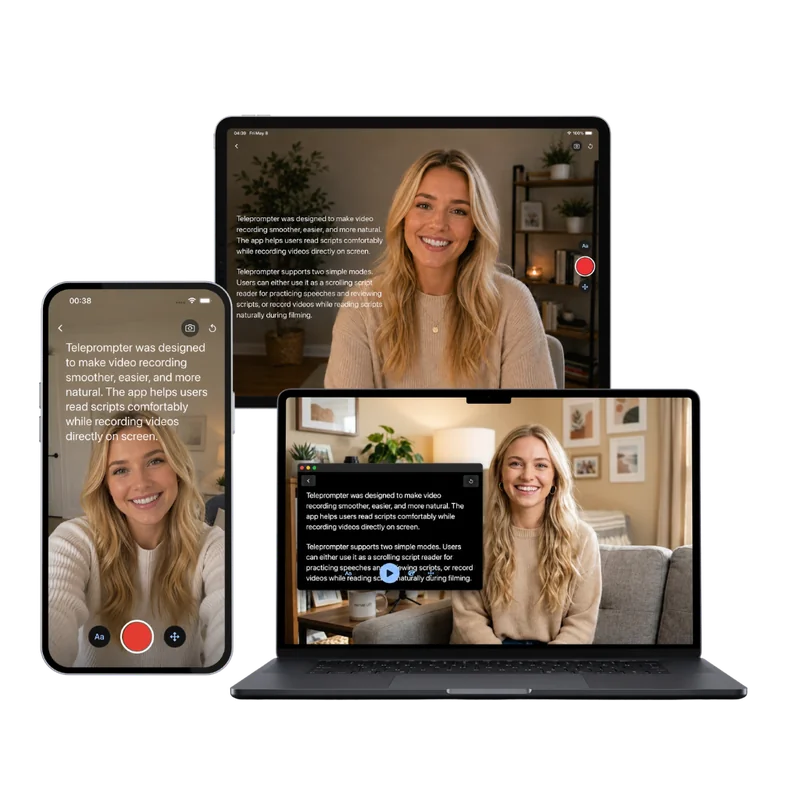
Teleprompter Scrolling Scripts on iPhone, iPad and Mac, with the script scrolling over the camera

Next step

Recording a walkthrough? Read it instead of improvising

A screen recording goes faster with the narration written down. The free online teleprompter scrolls your script in the browser while you record the webcam, and Teleprompter Scrolling Scripts for iPhone, iPad and Mac keeps the script beside the camera with adjustable speed, so the take needs fewer retakes and less editing.

Frequently Asked Questions

How do I convert WebM to MP4 for free?

Open this page, press Choose a video, select the WebM file and press Convert to MP4. Keep the tab open while it re-encodes, then press Download MP4. It is free, has no sign-up or watermark, and the recording is converted in your browser rather than uploaded.

How do you convert a WebM file to MP4 on a Mac?

Open this page in Safari, Chrome or Firefox, drop the WebM onto the box and press Convert to MP4. The MP4 lands in your Downloads folder and opens in QuickTime Player, iMovie and Keynote. VLC can also convert it through Media > Convert / Save if it is installed.

Does converting WebM to MP4 lose quality?

Any re-encode compresses again, so the MP4 is a close copy rather than a bit-for-bit one. The converter uses H.264 at CRF 23, a constant-quality setting that keeps text, faces and motion clean for viewing and sharing. WebM files that already hold H.264 are copied without re-encoding.

Why does WebM to MP4 take longer than other conversions?

WebM uses VP8, VP9 or AV1 video, which MP4 players expect as H.264, so every frame is decoded and encoded again on your device. Time depends on the video's length and resolution and on your processor. A desktop computer is quicker than a phone for long recordings.

Is WebM better than MP4?

Each fits a different job. WebM with VP9 or AV1 is efficient and plays well in browsers. MP4 with H.264 plays on virtually every phone, TV, editor and presentation app. For sharing, editing or uploading, MP4 is the more dependable choice.

Can I convert WebM to MP4 on iPhone?

Yes. Open this page in Safari, tap Choose a video and pick the WebM from the Files app. Tap Convert to MP4 and keep Safari open until it finishes, then tap Download MP4. Short clips suit a phone best; long recordings convert faster on a computer.

Is it safe to convert screen recordings online?

With this converter the recording never leaves your device. FFmpeg runs inside the browser tab, so emails, dashboards or client details visible in the recording stay on your computer. Nothing is stored on a server, and no account is needed.