Man in headphones working on an audio waveform on a laptop by a sunny window

Free tool · No upload · No sign-up

MP4 to WAV Converter Convert MP4 to WAV free online, on any device

Choose an MP4 video and save its sound as an uncompressed WAV file, ready for any audio or video editor. The MP4 to WAV converter is free and runs in your browser, so the video stays on your device.

  • Uncompressed WAV
  • Also MP3 and M4A

How to convert MP4 to WAV

WAV is preselected and has no settings to get wrong: choose the video, convert, download.

Convert MP4 to WAV in three steps

  1. Press Choose a video and select the MP4, or drag it onto the box.
  2. WAV is already selected. It has no quality setting because nothing is compressed.
  3. Press Convert to WAV, play the result in the page, then press Download WAV.

Want a lighter file to send as well? Switch to MP3 above the result and convert the same video again without choosing it twice.

voiceover.wav
 ├─ RIFF / WAVE header
 ├─ fmt   PCM, uncompressed
 │        16 bits per sample
 │        same sample rate as the video
 │        channels: same as the video
 └─ data  every sample, written in full

1 minute stereo at 48 kHz ≈ 11.5 MB
A WAV is a short header followed by raw samples. Any audio program can read it without a decoder.

WAV specs and file size

The converter writes 16-bit PCM at the video's own sample rate, the same bit depth as a CD. Mono video gives a mono WAV and stereo gives stereo. Most cameras and phones record at 48 kHz, the video standard; the converter keeps that rate, so the WAV drops straight onto a 48 kHz timeline in Premiere, CapCut or DaVinci Resolve without resampling.

Because nothing is compressed, size depends only on length and channels. That makes WAV the right working copy and a heavy file to email; for sharing, an MP3 from the same video is about one seventh the size at 192 kbps.

WAV 16-bit 48 kHzBitrateSize
Mono, 1 minute768 kbps5.8 MB
Stereo, 1 minute1,536 kbps11.5 MB
Stereo, 10 minutes1,536 kbps115 MB
Stereo, 1 hour1,536 kbps691 MB
MP3 192 kbps, 1 minute192 kbps1.44 MB
Bitrate = 48,000 × 16 × channels (a 44.1 kHz source is about 8% smaller). Size = bitrate × seconds ÷ 8.

Use the WAV in Premiere, CapCut, Audacity or a DAW

Every audio workstation opens a WAV directly: Audacity, GarageBand, Logic, Ableton Live, Reaper, Pro Tools. Audacity reads MP4 audio once its optional FFmpeg library is installed; a WAV skips that setup.

In Premiere Pro, CapCut, DaVinci Resolve or Final Cut, drop the WAV onto its own track. Clean it up with noise reduction or EQ, keep the timing lined up with the picture, and the final export compresses the sound only once.

Editor with headphones around his neck working on a multitrack timeline on a laptop at night

What is the difference between MP4 and WAV?

MP4 is a video container whose sound is almost always compressed as AAC; WAV is an audio-only file that stores uncompressed PCM samples. Converting MP4 to WAV decodes the AAC once and writes every sample out in full, so the audio can be cut, processed and exported again without stacking another round of lossy compression.

A WAV made from an MP4 holds exactly what the MP4's audio contained, at full resolution. It keeps every detail the AAC track carried and turns it into a format that is fast to scrub, simple to edit and readable by any audio program on any operating system.

Think of WAV as an editing format. It freezes the quality at the moment of conversion, so every cut, fade and filter you apply afterwards works on the full signal, and the only compression left is the one in your final export.

How the MP4 to WAV conversion works

The page runs FFmpeg, compiled to WebAssembly, inside the browser tab. It opens the MP4, selects the first audio track and skips the video stream. The AAC audio is decoded to raw samples at the video's own sample rate (usually 48,000 per second) and written as signed 16-bit little-endian PCM inside a standard RIFF WAVE header.

No encoder is involved on the WAV side, so there is no bitrate to pick. The output size is fixed by the maths: at 48 kHz, 48,000 samples × 16 bits × 2 channels is 1,536 kbps, or about 11.5 MB per minute of stereo. Because the picture is skipped, a 4K MP4 and a 720p MP4 of the same length give WAV files of identical size.

Video to WAV for transcription and speech tools

Speech-to-text services, captioning tools and voice-analysis software accept WAV as a standard input. An uncompressed file gives the recognizer the cleanest version of the voice the video holds. For services with a small upload limit, an hour of stereo WAV at about 691 MB may be too large; switch to MP3 at 128 kbps, about 58 MB per hour, which keeps speech perfectly clear.

Once a transcript comes back, the TXT to SRT converter turns plain text into timed subtitles for the original video.

When MP3 or M4A is the better choice

WAV is a working format: ideal while the audio is being edited, heavy once the job is done. For listening, sharing or uploading, the other two outputs on this page fit better. MP3 at 192 kbps plays everywhere at about 1.44 MB a minute. M4A copies the MP4's AAC audio without decoding it, so it keeps the original quality at the original size, a good archive copy for Apple devices.

A common workflow uses two: convert to WAV, edit and clean the audio in a DAW, then export the finished mix as MP3 or AAC from the editor. The sound is compressed once at the end instead of at every stage.

MOV to WAV and other video formats

The same converter takes MOV files from iPhone and QuickTime, plus MKV, WebM and AVI. Choose the file, keep WAV, press Convert to WAV. iPhone MOVs carry AAC audio just like MP4s, so the result is identical in format.

On a phone, the steps are the same in Safari or Chrome; on iPhone the WAV saves to Downloads in the Files app, and on Android to the Downloads folder. A computer is the better choice for long recordings, since the WAV is built in memory and an hour of stereo is over 600 MB.

Preparing a talking-head edit? The silence remover trims the pauses from the video before you take the audio out.

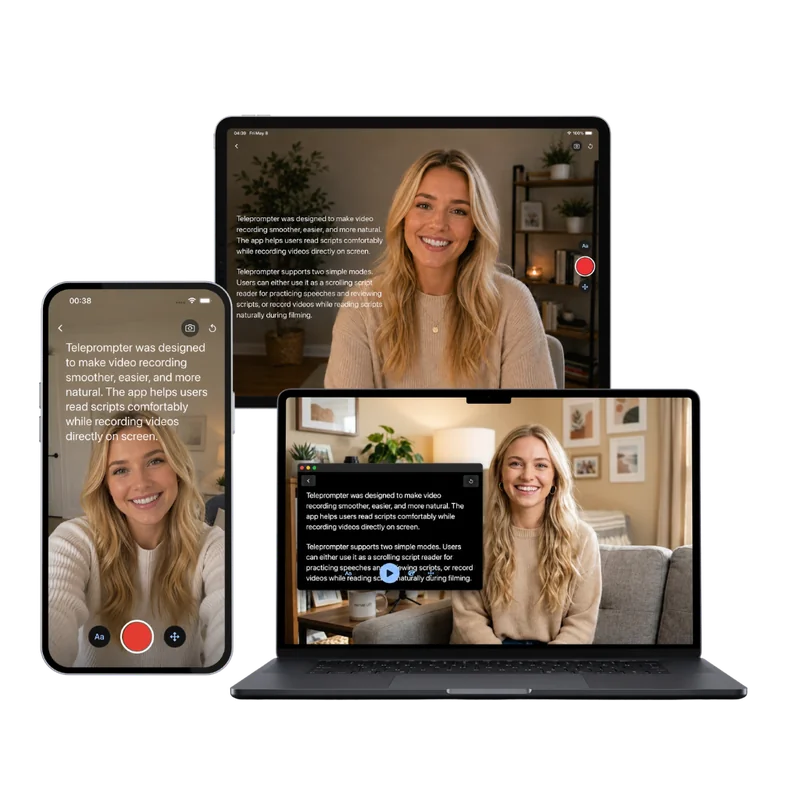
Teleprompter Scrolling Scripts on iPhone, iPad and Mac, with the script scrolling over the camera

Next step

Fewer retakes means less audio to clean up

Most editing time goes into stumbles and restarts. Read your script from the free online teleprompter while the webcam rolls, or from Teleprompter Scrolling Scripts on iPhone, iPad and Mac, which scrolls the words beside the camera and records voice-only takes in Voice mode.

Frequently Asked Questions

How can I convert an .mp4 file to a .wav file?

Open this MP4 to WAV converter, press Choose a video and select the MP4. WAV is already selected, so press Convert to WAV, check the sound in the player and press Download WAV. The conversion happens in your browser, free and without uploading the video.

Is WAV better quality than the audio in my MP4?

A WAV holds the same sound at full resolution, with no further compression. It keeps the quality the MP4's AAC track already had, which makes it the best working copy for editing, since the only lossy step left is your final export. The sound itself matches what the MP4 plays.

What sample rate and bit depth does the WAV use?

16-bit PCM at the video's own sample rate (usually 48,000 Hz), with the same number of channels as the video: mono stays mono, stereo stays stereo. A 48 kHz source stays at 48 kHz, and a 44.1 kHz source stays at 44.1 kHz. Every audio editor, sampler and transcription service reads this format.

Can I convert MOV to WAV?

Yes. Choose the MOV file, keep WAV and press Convert to WAV. iPhone, iPad and QuickTime MOVs carry AAC audio like MP4s do, so the WAV comes out exactly the same way. MKV, WebM and AVI videos work too, with the same uncompressed 16-bit result.

How big is a WAV file from a video?

At 48 kHz, the usual rate for video, about 11.5 MB per minute for stereo and 5.8 MB per minute for mono, whatever the video's resolution. A 10-minute stereo clip makes a WAV of roughly 115 MB, and an hour makes about 691 MB. The same hour as a 192 kbps MP3 is about 86 MB.

Is this MP4 to WAV converter free and private?

Yes. It is free, with no sign-up, watermark or daily limit. The conversion runs on your device with FFmpeg compiled to WebAssembly, so the video is never uploaded and no copy is kept anywhere else. Unreleased footage and client recordings stay on your own machine.

Can I convert video to WAV on iPhone or Android?

Yes. Open the page in Safari or Chrome, choose the video and press Convert to WAV. The WAV saves to Downloads. Phones handle short clips best; for recordings longer than about half an hour, a computer has the memory for a large WAV.