Creator's desk with a laptop, a camera on a mini tripod, a studio microphone and headphones

Free tool · No upload · No sign-up

Video to MP3 Converter Convert any video to MP3 free online

Choose any video and save its sound as an MP3. This video to MP3 converter is free, needs no sign-up and runs in your browser, so the file stays on your device.

  • MP4 · MOV · MKV · WebM · AVI
  • 128 / 192 / 320 kbps

How to convert a video to MP3

Pick the file, keep MP3, press convert. The format of the video makes no difference to the steps.

Convert any video to MP3 in three steps

  1. Press Choose a video and select the clip, whatever its format, or drag it onto the box.
  2. Keep MP3 as the format and set the quality. 128 kbps is enough for talking, 192 kbps or 320 kbps for music.
  3. Press Convert to MP3, check the sound in the built-in player, then press Download MP3.

When the file opens, its length appears next to the name, a quick sign that the converter can read it. A clip saved without any sound, such as a muted screen capture, gets a clear message before anything is converted.

webinar.mkv  audio: AAC or Opus   ─┐
screen.webm  audio: Opus           ─┤
clip.mov     audio: AAC            ─┼─▶ first audio track
old-tape.avi audio: MP3 or PCM     ─┘        │
                                          ▼  decode, then LAME
                                   clip.mp3 · 192 kbps
One file at a time, any container. The sound is decoded and written as a new MP3; the picture is skipped without being decoded.

Which video formats can you convert to audio?

The file extension names the container, the box that holds the streams. The sound inside is a separate codec, and that is what the converter has to read. It handles the audio codecs found in everyday video files, from AAC in phone footage to Opus in browser recordings and AC-3 in movie rips.

The video codec plays no part at all. H.264, HEVC, VP9, AV1 or ProRes, 720p or 4K: the picture stream is passed over, so only the soundtrack is processed.

ContainerTypical sourceSound inside, usually
MP4 / M4VPhones, cameras, editing appsAAC
MOViPhone, QuickTime, Mac screen recordingsAAC
MKVOBS recordings, video archivesAAC, AC-3, Opus or FLAC
WebMBrowser screen recorders, web videoOpus or Vorbis
AVIOlder cameras and softwareMP3 or PCM
Whatever the codec inside, the result is a standard MP3 that plays everywhere.

A video to audio converter with three outputs

MP3 is the default because every player, car stereo and podcast host accepts it. Two other formats sit next to it. WAV writes the sound out uncompressed as 16-bit PCM at the original sample rate, the right pick when the audio is headed for an editor or a transcription service. M4A keeps AAC audio exactly as it was recorded, which suits MP4 and MOV clips best.

After a conversion the file stays loaded, so switching to WAV and pressing convert again gives you both versions without choosing the video twice.

Man on a sofa at night with a laptop, in a dim living room lit by a small lamp

What is the difference between a video file and an MP3?

A video file is a container that bundles a picture stream, one or more sound streams and sometimes subtitles; an MP3 holds sound only. Converting video to MP3 takes the first sound stream, compresses it with the MP3 codec and leaves the picture behind, so the result plays on any phone, car stereo or music app.

That is also why the same converter handles so many formats. MP4, MOV, MKV, WebM and AVI differ in how they package streams, but the job is identical for each: find the audio, decode it, write an MP3. A one-hour 1080p recording can weigh several gigabytes; the same hour as a 128 kbps MP3 is about 58 MB.

How video to MP3 conversion works

The page loads FFmpeg, compiled to WebAssembly, into the browser tab. When you choose a file, FFmpeg first reads its header to list the streams and the duration. On Convert to MP3 it selects the first audio stream, decodes it to raw samples whatever its original codec, and passes those samples to the LAME encoder at the constant bitrate you picked. The video stream is ignored rather than decoded, which keeps the work small even for a 4K file.

The file is read straight from your disk in chunks, so a large recording never has to be copied into memory first. Files up to about 2 GB are the comfortable range in a browser; beyond that the page warns you before it starts.

How big is the MP3 from a video?

MP3 size depends only on length and bitrate, never on the video's resolution or file size. The formula is bitrate × seconds ÷ 8. A 30-minute webinar comes out at about 28.8 MB at 128 kbps, 43.2 MB at 192 kbps and 72 MB at 320 kbps. A three-minute music video at 320 kbps is about 7.2 MB.

For spoken content, 128 kbps is the sweet spot: voices stay clear and an hour fits in under 60 MB, small enough for chat apps, cloud folders and podcast hosts. Music, live performances and anything with a wide stereo image deserve 192 kbps or more. When the MP3 will be edited later, 320 kbps keeps the most headroom, or pick WAV and convert to MP3 after the edit.

Convert video to MP3 on Windows, Mac, iPhone and Android

On Windows and Mac, open this page in Chrome, Edge, Firefox or Safari and drag the video onto the box. The MP3 lands in your Downloads folder. VLC can also do it through Media > Convert / Save with an MP3 profile, and QuickTime Player on a Mac exports an M4A with File > Export As > Audio Only.

On iPhone and iPad, open the page in Safari, tap Choose a video and pick from Photos or Files. The MP3 saves to Downloads in the Files app. On Android, Chrome opens the file picker, and the finished MP3 appears in the Downloads folder and in your music apps.

Good reasons to turn a video into audio

  • Webinars and lectures. A recorded class or a long MKV from OBS becomes something to play on a commute.
  • Your own uploads. Download a video from your own YouTube, TikTok or Instagram account, then keep the soundtrack as an MP3 for a podcast feed or a portfolio.
  • Screen recordings. A WebM from a browser recorder holds a demo or a call; the MP3 is easier to share and to send for transcription.
  • Family clips. Keep a recital, a toast or a voice from an old AVI as audio that plays anywhere.

Convert only videos you made or have permission to use. When the picture matters too, the MKV to MP4 converter and the WebM to MP4 converter turn those files into a video that opens on any device, and Remove Audio from Video does the opposite job: it keeps the picture and drops the sound.

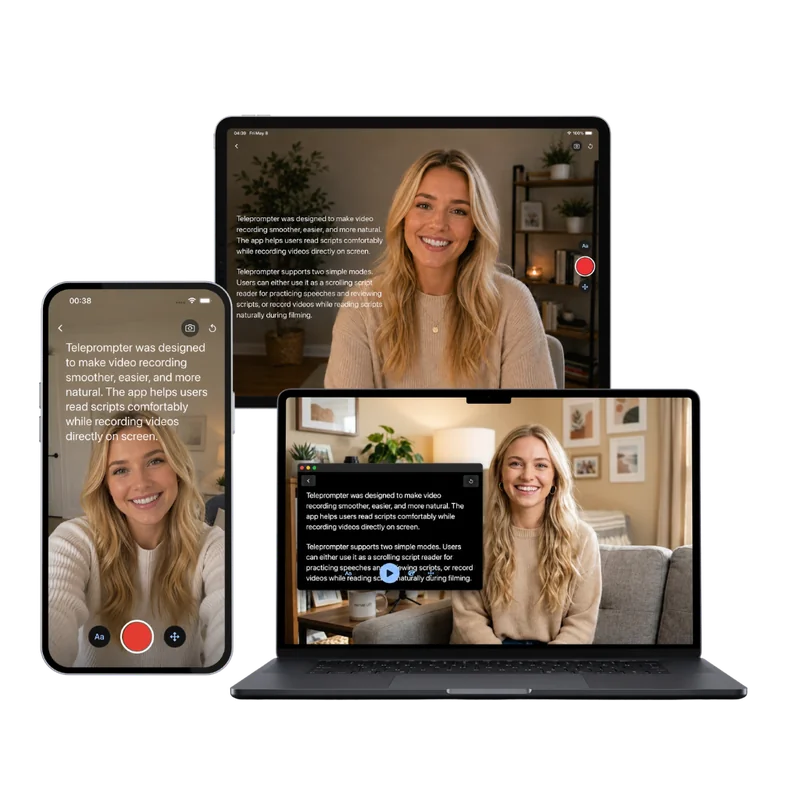
Teleprompter Scrolling Scripts on iPhone, iPad and Mac, with the script scrolling over the camera

Next step

Make the next video easier to turn into audio

A recording that already sounds like a finished episode needs almost no editing. Read your script from the free online teleprompter while your webcam records, or use Teleprompter Scrolling Scripts on iPhone, iPad and Mac to keep the words beside the lens, with a Voice mode for audio-only takes.

Frequently Asked Questions

How do I convert a video to MP3?

Choose the video on this page, keep MP3 selected, pick 128, 192 or 320 kbps and press Convert to MP3. Play the result to check it, then press Download MP3. The same steps work for MP4, MOV, MKV, WebM and AVI files, on a computer or a phone.

How can I convert an MKV file to MP3 for free?

Open this converter, press Choose a video and select the MKV. Keep MP3, choose a bitrate and press Convert to MP3. The audio inside an MKV may be AAC, AC-3, Opus or FLAC; the converter decodes it either way and writes a standard MP3, free and without uploading the file.

Is this online audio extractor free and private?

Yes. There is no account, payment, watermark or daily limit. The online audio extractor runs FFmpeg inside your browser, so the video is processed on your own device and never sent to a server. Closing the tab clears the converted file from memory, and nothing stays behind on any server.

Can I convert video to audio without losing quality?

Choose WAV or M4A. WAV stores the decoded sound uncompressed, so nothing more is lost after decoding. M4A copies AAC audio from MP4 and MOV files bit for bit. MP3 compresses again, which is inaudible at 192 or 320 kbps for most listening.

What MP3 bitrate should I pick for a video?

Match it to the content. Talking-head videos, lectures and meetings sound clear at 128 kbps, about 0.96 MB per minute. Videos with music sound better at 192 kbps or 320 kbps. A higher bitrate keeps more of the detail the video recorded, at a larger file size.

Can I convert a video to MP3 on Android?

Yes. Open this page in Chrome, tap Choose a video, pick the clip from your gallery or files and tap Convert to MP3. After the conversion, tap Download MP3; the file goes to your Downloads folder and shows up in music players.

Why does the converter say the file has no audio track?

The video was saved without a sound stream, so there is nothing to turn into MP3. Screen recordings made with the microphone off and some exported clips are silent. Record again with sound enabled, or check that you picked the original file rather than a muted copy.

Can I convert a video link to MP3?

This converter works with video files on your device. To use one of your own uploads, download it from your YouTube, TikTok or Instagram account first, then choose the saved file here and convert it to MP3. Working from the saved file keeps the conversion private and gives you the full-quality original.