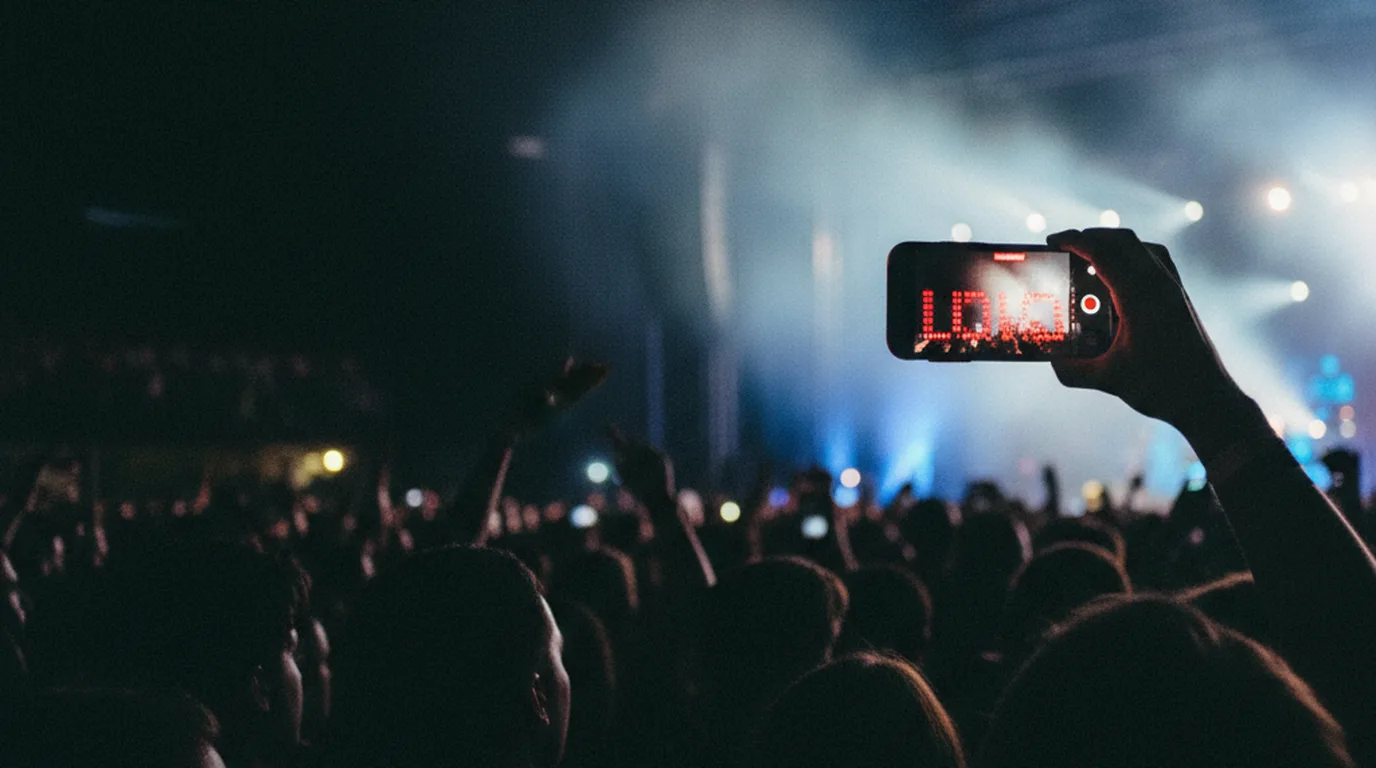
Concert crowd at night with a fan holding up a phone that shows glowing red LED scrolling text

Scrolling Text Maker An LED scrolling sign on any screen

Type your message and watch it glide across the screen like an LED sign. Set the speed, colours and glow, go fullscreen, and hold up your phone at a concert or stand a tablet in the shop window.

Make scrolling text

Free, in your browser. Nothing to install.

Live preview

Turn your phone sideways for bigger letters

Fullscreen fills the whole screen; turn a phone sideways for the biggest letters. Tap Exit fullscreen or press Esc to come back. Double-click the preview to switch too.

Motion and size

Colours and effects

Everything runs in your browser. Your message and settings are kept in this browser for next time.

How to make scrolling text

The scrolling text maker turns any phone, tablet, laptop or TV into a running LED sign in under a minute.

  1. Type your message. Short messages read best from a distance: a name, a song request, OPEN, or a big thank-you.
  2. Set the speed and size. Speed 3 to 5 is easy to read from across a room; text size 70 to 85% fills the screen height.
  3. Pick colours and glow. Red, amber and green on black look like classic LED signs. Turn LED dots off for a smooth neon look.
  4. Go fullscreen. Press Fullscreen and turn your phone sideways. Hold it up, or prop the tablet in a window.
  5. Save it as a video. Press Download as video for a short clip to post, loop on a TV, or play from a phone without the browser.

LED scrolling text, dot by dot

LED scrolling text gets its look from a grid of round lights. With LED dots switched on, the maker draws your message through a dot grid that stays fixed while the letters move, so each character steps across the lights the way it does on a real sign. The unlit dots glow faintly in the background, and Glow adds the soft halo around each lit one.

For a shop window, amber or red on black reads well from the street even in daylight behind glass. Turn up the screen brightness, set speed 3, and use capitals: OPEN, SALE, or TODAY'S SPECIAL. The Mirror option flips the text left to right, for a sign seen as a reflection or read from the other side of a window film.

In fullscreen, the page asks the browser to keep the screen awake where that is supported, so a tablet in the window stays on.
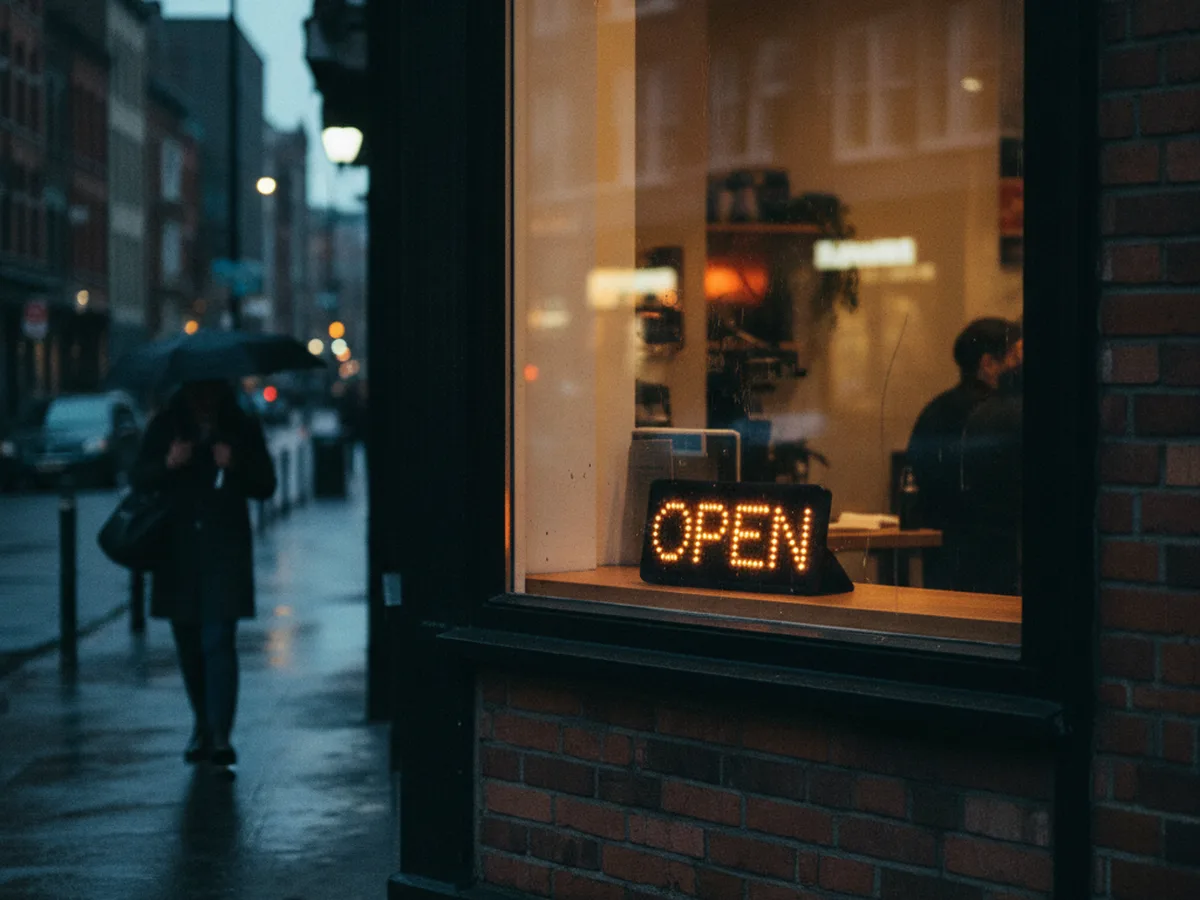
Coffee shop window at dusk with a glowing amber LED-style OPEN sign on the window ledge

Scrolling text generator for concerts

A bright phone sign gets noticed from the stage. Keep it to three or four words, choose a high-contrast colour, use text size 85% and speed 4, and hold the phone sideways at full brightness.

Text scroller for shop windows and events

A tablet on a stand works as a welcome sign at a reception desk, a wayfinding sign at an event, or a running message behind a market stall. Fullscreen hides the browser and the screen stays on.

An LED banner app with no download

This works like an LED banner app, straight from the browser on iPhone, Android, iPad or a computer. Add the page to your home screen and it opens like an app next time, with your last message ready.

Scrolling text video

Download as video records one full pass of your message at 1280×720, between 4 and 12 seconds long, as a WebM file (MP4 in Safari). Loop it on a TV, drop it into an edit, or share it.

Scrolling text maker or teleprompter?

Both move text across a screen, for opposite reasons. A scrolling text maker runs a short message sideways, in a loop, for other people to see from a distance. A teleprompter scrolls a long script upward, line by line, for you to read while you speak, at a pace that follows your voice.

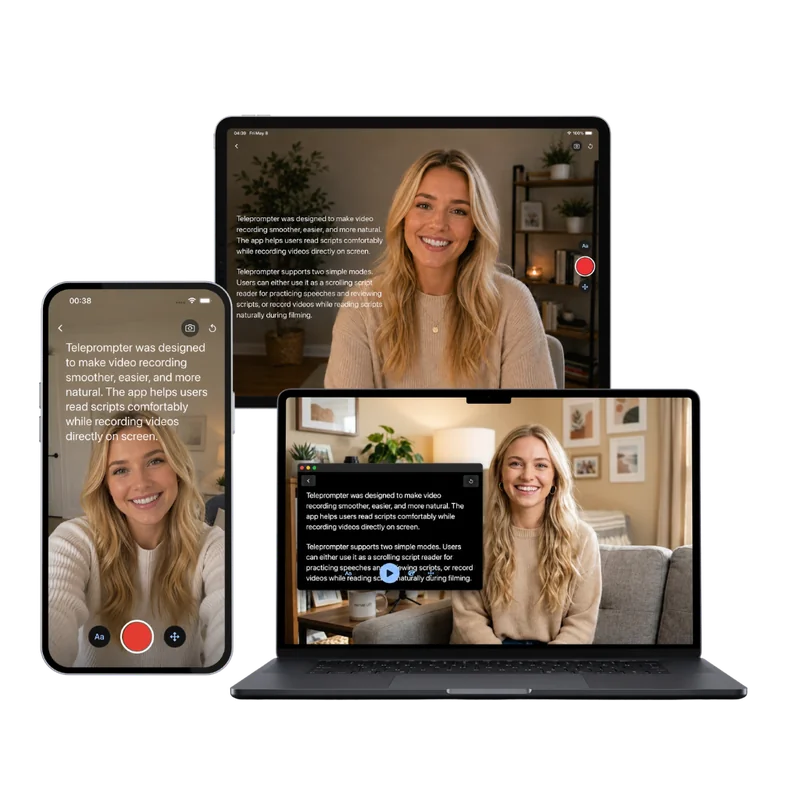
If you are reading a speech, a video script or song lyrics, the free online teleprompter is the right tool: paste the script, set the words per minute, and it scrolls up the screen while you look at the camera. On iPhone, iPad and Mac, Teleprompter Scrolling Scripts does the same over the camera while you record.

Scrolling text (marquee)

Short message, sideways, on repeat, for an audience.

Teleprompter

Long script, upward, once through, for the speaker.

Need text flipped for a mirror or a teleprompter glass instead? The mirror text generator does that. Singing along to the words? See the lyrics prompter for singers guide.

Teleprompter Scrolling Scripts on iPhone, iPad and Mac, with the script scrolling over the camera

Next step

Reading a script on camera? Scroll it upward instead

The free online teleprompter scrolls a whole script up the screen at the words per minute you choose, so you can read to the lens without losing your place. On iPhone, iPad and Mac, Teleprompter Scrolling Scripts scrolls your script over the camera while you record. It is free, needs no account and adds no watermark.

Frequently Asked Questions

How do I make scrolling text on my phone?

Open the scrolling text maker in your phone's browser, type your message, and set the speed, size and colour. Press Fullscreen and turn the phone sideways. The message scrolls across the whole screen like an LED sign.

Can I use my phone as an LED sign at a concert?

Yes. Type a short message, choose a bright colour on black with LED dots and glow on, set the text size to about 85%, and press Fullscreen. Turn the screen brightness all the way up and hold the phone sideways so the letters are as tall as possible.

How do I make the text scroll faster or slower?

Move the Speed slider. 1 is a slow crawl and 10 is fast. Speed 3 to 5 is easiest to read from a distance. The speed scales with the screen, so the message moves at the same pace in the preview and in fullscreen.

Can I save the scrolling text as a video?

Yes. Press Download as video. The maker records one full pass of your message at 1280×720, between 4 and 12 seconds long, then offers the file to save. Chrome, Edge and Firefox save WebM; Safari saves MP4.

What does the Mirror option do?

Mirror flips the scrolling text left to right. Use it when people see the sign as a reflection, or when the screen faces outward behind glass that reverses the image.

Will my screen stay on in fullscreen?

In browsers that support it, fullscreen asks the device to keep the screen awake while the sign runs. If your phone still dims, raise the auto-lock time in its display settings while you use the sign.

What is the difference between scrolling text and a teleprompter?

Scrolling text runs a short message sideways in a loop for an audience to read. A teleprompter scrolls a full script upward for the speaker to read while talking or recording. For scripts, use the online teleprompter.

Is the scrolling text maker free?

Yes. It is free and runs entirely in your browser. Your message stays on your device and is kept in this browser for next time.