Top 5 Video Essay Tools for YouTube Creators
 Natalie Brooks · August 14, 2026 · 8 min read
Most video essay tool round-ups are a dozen editors that all do the same job, which is not how a video essay on YouTube actually gets made. The format has four distinct stages — write, narrate, assemble, finish — and a tool that excels at one is usually irrelevant to the others. What follows is one pick per stage, plus the footage source that rarely makes these lists. All five are free, and each entry names the exact point its free tier stops.
The five best video essay tools, one per production stage, are Teleprompter-Scrolling Scripts for narration delivery, DaVinci Resolve for editing, Audacity for audio repair, OBS Studio for screen and gameplay capture, and the Internet Archive for public-domain footage. All five are free to use.
Working out the argument itself rather than the toolchain? Start with how to write and record a video essay, then come back here to pick your tools.
What video essay tools actually need to cover
A video essay is an argument with pictures, in that order. Which matters when you're choosing tools, because it means the editing software — the thing every list leads with — is the fourth-most-important decision you make, not the first.
The pipeline runs: write a thesis and script it, record narration cleanly, gather visuals that support each claim, then assemble and mix. Weak video essays are almost never weak because of the editor. They're weak because the argument wandered, or because the narration sounds like someone reading unfamiliar text off a screen, or because the audio is muddy enough that viewers leave before the thesis lands.
Video essays are an audio-first format in practice. Viewers frequently listen while doing something else, which means narration clarity and audio quality determine retention more than visual polish. A tool that improves how the narration is delivered therefore has a larger effect on finished quality than an upgrade to the editing software.
So the list below is organised by stage rather than by feature count. One tool per job.
1. Teleprompter-Scrolling Scripts — for narration that doesn't sound read
Best for: recording the voiceover. Price: free, no account. Platforms: browser, iPhone, iPad, Mac.
It's first on this list because narration is where video essays most visibly fall apart, and it's the stage with the fewest tools pointed at it. A video essay script runs long — a 20-minute piece is roughly 3,000 words — and reading 3,000 words off a document while operating a microphone produces exactly the flat, halting delivery the format can least afford.
A teleprompter fixes the mechanics. The script scrolls at a pace you set, so you're reading a moving line rather than hunting for your place after every pause. You can set the scroll speed to your natural narration pace, which for most people sits between 140 and 160 words per minute, and record in segments without losing your position.
For essays where you appear on camera — a common opener even in otherwise voiceover-led pieces — Camera mode records video with the script overlaid near the lens, so your eye-line stays put. For pure voiceover work, Prompter mode scrolls the script with the camera off while you record into whatever audio software you prefer. Work out your narration length first with the talk time calculator, then set the scroll speed to match.
Where the free tier ends: it doesn't. Camera mode, Prompter mode, scroll control, and offline use are all free, and the browser version needs no install if you're recording at a desk.
2. DaVinci Resolve — for editing
Best for: assembling the timeline. Price: free; Studio version $295 one-time. Platforms: Windows, macOS, Linux.
This is the near-unanimous recommendation in video essay communities, and the reason is specific: the free version has no watermark, no export time limit, and no resolution cap for standard delivery. For a format where a single essay might run 25 minutes, export restrictions are disqualifying, and most "free" editors impose them.
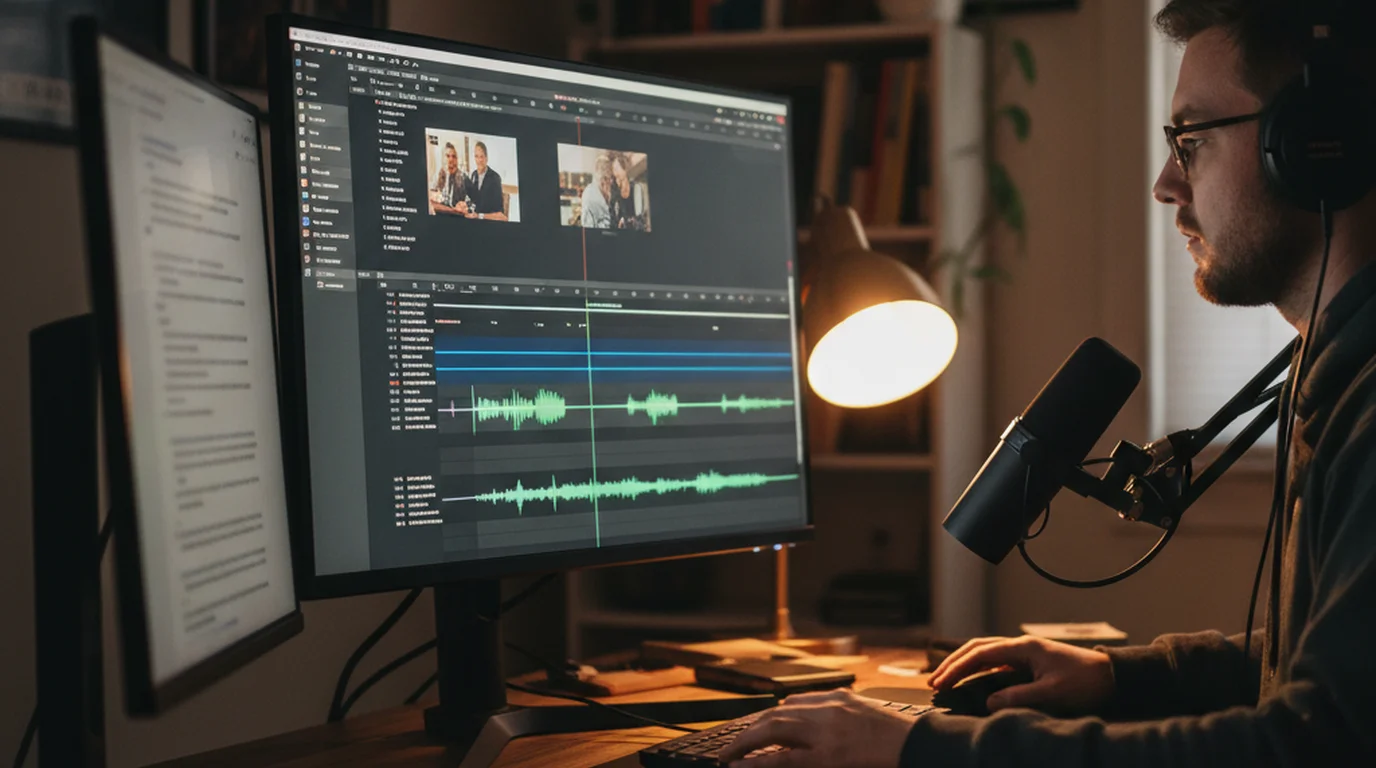
What matters for this format in particular is the Fairlight audio page. Because video essays live on narration, having a full audio mixing environment inside the editor — rather than bouncing to another program for every adjustment — meaningfully shortens the edit. The Fusion page handles motion graphics and text animation for the on-screen citations and pull-quotes the format relies on.
The trade-off is a real learning curve and heavy hardware demands. Resolve wants a decent GPU, and on an older laptop it will struggle in a way lighter editors won't.
Where the free tier ends: the paid Studio version adds noise reduction, advanced HDR, and some AI features. Almost no video essayist needs them.
3. Audacity — for rescuing audio
Best for: cleaning narration recorded in an untreated room. Price: free, open source. Platforms: Windows, macOS, Linux.
Most video essayists record narration in a bedroom, and bedrooms have air conditioning, traffic, computer fans, and reflective walls. Audacity's noise reduction works by sampling a section of pure room tone and subtracting that profile from the whole recording — which is why you should always record ten seconds of silence at the start of every narration session, before you say a word.
That single habit is worth more than most gear upgrades. It gives the noise profile something clean to work from, and it takes ten seconds.
Noise reduction algorithms work by subtracting a sampled noise profile from the full recording. The quality of the result depends entirely on the quality of that sample, which is why recording several seconds of silent room tone at the start of a session produces a noticeably cleaner outcome than applying noise reduction to a recording that begins immediately with speech.
Resolve's Fairlight page can handle light cleanup, so Audacity is the specialist you reach for when the recording has a real problem — a persistent hum, a noisy fan, one section recorded in a different room.
Where the free tier ends: it doesn't. It's open source and fully featured.
4. OBS Studio — for capturing your visuals
Best for: screen recording, gameplay footage, and webcam capture. Price: free, open source. Platforms: Windows, macOS, Linux.
Video essays about games, software, websites, or anything else on a screen need clean capture, and OBS is the standard because it records at a specified frame rate and bitrate rather than whatever your operating system's built-in recorder decides to give you. For analysis work where you'll slow footage down or hold on a frame, that control is the difference between usable and unusable material.
It also handles multi-source scenes, so you can capture a screen region and a webcam simultaneously as separate tracks. The interface is unfriendly on first contact — it's built for streamers — but for video essay purposes you only ever need one scene with one or two sources, which takes about ten minutes to set up once.
Where the free tier ends: it doesn't.
5. The Internet Archive — for footage you're allowed to use
Best for: public-domain film, television, audio, and images. Price: free. Platforms: web.
This is the pick most lists leave out, and it's the one that solves the problem creators actually hit: you have an argument and no legal footage to illustrate it. The Archive hosts a vast collection of public-domain and openly licensed material — newsreels, government films, ephemeral and educational films, old broadcasts, photographs, and audio.
Two practical notes. First, check the rights statement on each item rather than assuming everything on the site is free to reuse; the Archive hosts material under a range of licences, not one. Second, its collection of mid-century ephemeral film is unusually well suited to essays about culture, advertising, and technology, because that material is genuinely period-accurate rather than a modern stock-footage approximation.
For contemporary clips used as evidence in analysis or criticism, you're generally relying on fair use rather than licensing — which is a legal question that depends on how much you use and what you do with it, not a tooling one.
Where the free tier ends: it doesn't, though individual items carry their own licence terms.
The five video essay tools compared
| Tool | Stage | Price | Learning curve | Skip it if… |
|---|---|---|---|---|
| Teleprompter-Scrolling Scripts | Narration | Free | Minutes | You improvise rather than script |
| DaVinci Resolve | Editing | Free / $295 | Steep | Your machine can't run it |
| Audacity | Audio repair | Free | Low | You record in a treated space |
| OBS Studio | Capture | Free | Medium | Your visuals aren't screen-based |
| Internet Archive | Footage | Free | None | You shoot all your own visuals |
What you don't need
Three things get recommended constantly and earn their place far less often than the five above.
A paid stock footage subscription. Generic stock clips under an argumentative narration read as filler, and viewers notice. Specific evidence — the actual thing you're analysing — always beats a pretty b-roll shot of a city at dusk.
AI script generators. A video essay is an argument, and an argument is the one part of the process that has to be yours. These tools are useful for structuring an outline you've already thought through, and actively harmful as a substitute for thinking. The video script guide covers the structure without outsourcing the reasoning.
An expensive microphone, at first. Room acoustics dominate the result at the entry level. A mid-range USB microphone in a room with a rug, curtains, and a bed will beat a studio microphone in a bare box, and it costs a fraction as much.
Frequently Asked Questions
What is a video essay?
A video essay is an argumentative or analytical piece delivered in video form, where a written thesis is narrated over supporting visuals such as clips, stills, archive footage, and on-screen text. It differs from a vlog or review because it is structured around a claim and the evidence for it, which is why the script matters more than the footage.
What software do most video editors use?
Adobe Premiere Pro and DaVinci Resolve dominate professional editing, with Final Cut Pro common among Mac-based creators. For video essayists specifically, DaVinci Resolve is the most frequent recommendation because its free version has no watermark, no export limit, and no time restriction — which removes the main barrier for creators without a budget.
What software is good for making video essays?
You need four categories rather than one program: something to deliver your script while you narrate, an editor, an audio cleanup tool, and a source for footage. DaVinci Resolve covers editing and basic audio, a teleprompter app handles narration delivery, Audacity handles deeper audio repair, and the Internet Archive supplies public-domain visuals.
What are the different types of video essays?
The common forms are the analytical essay that examines a text or film, the argumentative essay that defends a thesis, the explainer that teaches a concept, the video review structured around evaluation, and the personal or confessional essay. Analytical and argumentative forms lean hardest on script quality; explainers lean hardest on visuals.
How to get better at video essays?
Improve the script before the edit. Most weak video essays are well-edited versions of an unclear argument. Write a one-sentence thesis, structure the script so every section advances it, then read the whole thing aloud before recording — narration problems are almost always script problems that reading aloud exposes.
Do I need an expensive microphone for a video essay?
No, but audio matters more than picture in this format because viewers are listening to an argument. A USB microphone in the $50–$100 range recorded in a soft-furnished room outperforms an expensive microphone in an untreated space. Recording position and room acoustics affect the result more than the price of the hardware.
How long should a video essay be?
Length should follow the argument rather than a target. Most published video essays run between 10 and 30 minutes, which at a typical narration pace of 150 words per minute means a script of roughly 1,500 to 4,500 words. If a section does not advance the thesis, cutting it improves retention more than adding visuals to it.
Natalie BrooksNatalie Brooks is a video producer who works as a one-person crew for independent creators, corporate teams, and online educators. She writes about home studio setups, creator gear, and the production decisions that never come up in sponsored unboxings.
Record your narration without sounding like you're reading
Free on iPhone, iPad, Mac, and in the browser. Set the scroll speed to your narration pace, record in segments, and keep every script saved for the next essay — no account required.
Use Free Online Teleprompter Get the Free App