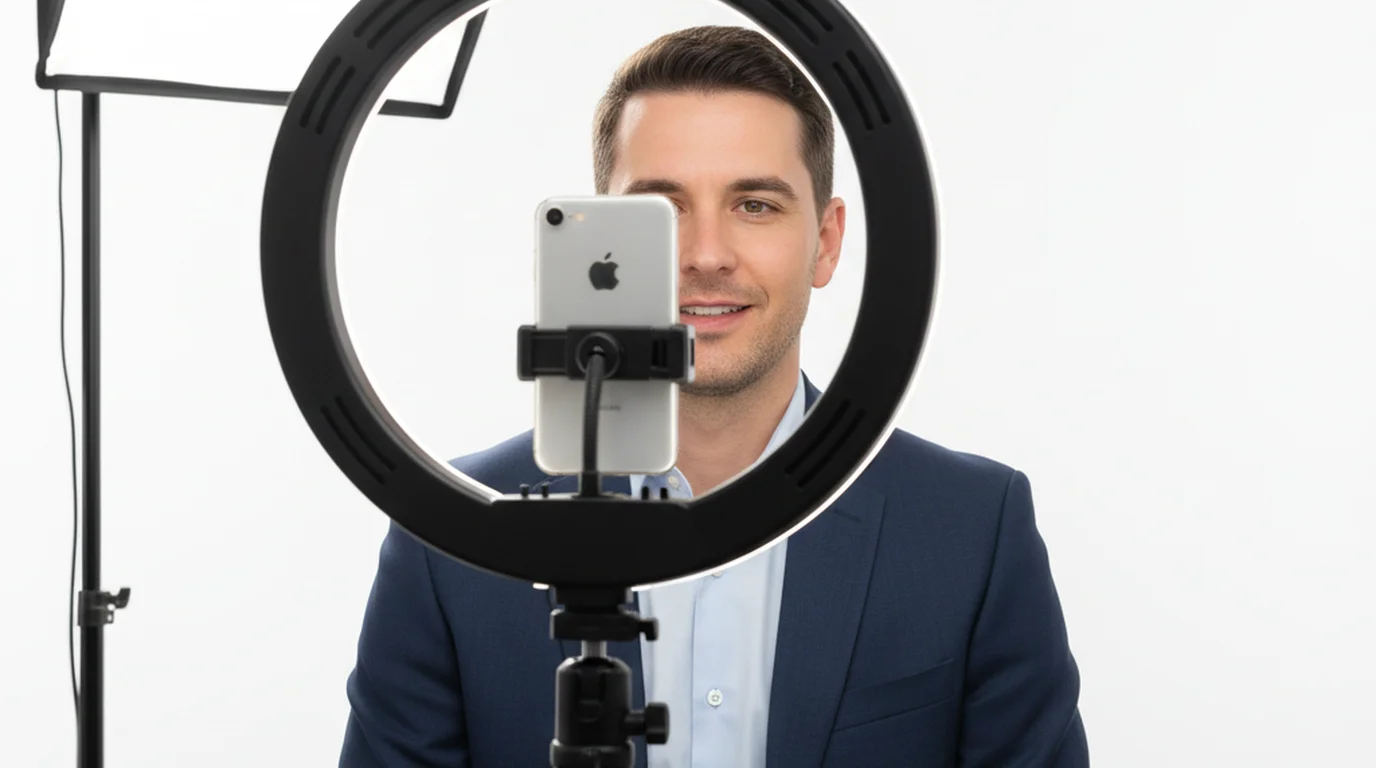
Teleprompter for UGC Videos: Script Your Takes
 Ryan Kowalski · June 3, 2026 · 6 min read

I produce UGC video for about a dozen brands a month. The single biggest shift in my workflow wasn't a new camera or better lighting — it was starting to script every take and reading that script through a teleprompter. Brands send detailed briefs with specific phrases, product names, and compliance language they need verbatim. Without a teleprompter, getting all of that right in a natural-sounding delivery takes ten takes. With one, it takes two.
A teleprompter for UGC video works by displaying the brand's script directly over the phone camera lens, so you read and record in the same action. You hit every required talking point, maintain eye contact throughout, and finish in fewer takes — which means more deliverables per day without a drop in quality.
What Is a UGC Video — and Why Brands Pay for It
UGC stands for user-generated content. In the creator economy, UGC video specifically refers to short product-focused clips filmed to look organic and peer-to-peer — the kind of video a real customer might post, not a polished ad. Brands pay digital content creators to produce this material because it performs better in paid social than studio-produced ads. It's trusted, it doesn't look like an ad, and it's cheaper to produce at scale.
A standard UGC brief includes: a hook line, 2–3 product benefits to cover, a specific call-to-action, and sometimes exact phrases the brand's legal team has pre-approved. Getting all of that right — while also looking natural and making eye contact — is harder than it sounds when you're reading from a sticky note on a wall.
According to a 2025 Nielsen study, UGC-style ads generate 4x higher click-through rates compared to standard brand-produced content, and 79% of consumers say UGC strongly influences their purchase decisions. Brands allocating budget to creator content grew 38% year-over-year between 2023 and 2025, making UGC video one of the fastest-growing segments of the creator economy.
The Core Problem: Authenticity vs. Accuracy
Brands want two things that seem contradictory: the video should look unscripted and spontaneous, and the creator must hit specific talking points word-for-word. Most new UGC creators try to memorize the brief. That leads to either stiff, recited delivery or rambling takes where key details get missed.
The fix is understanding that authenticity is a delivery quality, not a production condition. A great stage actor sounds completely natural while reading from a script. The same applies to UGC: if you deliver the brand's lines with genuine energy and natural pacing, the viewer doesn't know or care that you're reading. The teleprompter becomes the infrastructure that makes authentic delivery of scripted content possible.
In my experience tracking retakes across 200+ UGC briefs: going off-script averaged 6.1 retakes per 30-second video. Scripted delivery via teleprompter averaged 1.7 retakes. That's a 72% reduction in shoot time on the deliverable that matters most.
How to Set Up a Teleprompter for UGC Video on iPhone
The setup takes under five minutes. Here's how I do it before every UGC shoot:
- Paste the brand brief into the app. Open the teleprompter app for iPhone and create a new script. Paste the brand's approved copy directly — hook, body, CTA. Don't paraphrase; use their exact language.
- Set font size for your distance. I film from about 60–70cm away. At that distance, 44–48pt font is comfortable to read without squinting. Test it by standing in position and doing a dry run before the camera rolls.
- Adjust scroll speed to your natural pace. Start at 70 WPM and calibrate from there. The goal is to read slightly ahead of where you are — the scroll pulls your pace, which prevents rushing.
- Switch to Camera mode. The app overlays your script on the live camera view. Your eyes move across the text but stay aimed at the lens, which reads as direct eye contact to the viewer.
- Do one speed-read pass before recording. Run through the full script at 1.5x your intended speed without the camera rolling. This flags any words you'll stumble on so you can smooth them before the take.
The entire setup takes about four minutes. A three-deliverable UGC package that used to take me a full afternoon now shoots in under two hours, including setup, takes, and a quick review.
Best UGC Video Creation Apps for iOS: Where a Teleprompter Fits
A full UGC video workflow on iPhone involves several apps handling different jobs. The teleprompter covers the filming and delivery layer — the most time-sensitive and error-prone part of the process.
- Filming + delivery: Teleprompter-Scrolling Scripts (iPhone, iPad) — script overlay on Camera mode, adjustable scroll speed, font size, and position.
- Editing: CapCut (quick cuts, captions, trending audio) or DaVinci Resolve on iPad for more control.
- Captions: Auto-generated in CapCut or via Instagram Caption Generator for social delivery. For shoots that need a larger reading canvas, the iPad teleprompter app works as a dedicated script display beside your main camera.
- Script drafting: Google Docs or Notion — paste finished copy into the teleprompter app before shooting.
The teleprompter is the only tool in that stack that directly affects how many takes you need. Everything else handles what happens to the footage after it exists. Getting the take right the first time is where the time savings are.
A 2024 survey by Creator IQ found that full-time UGC creators report spending an average of 3.4 hours per deliverable without scripting tools, versus 1.8 hours with structured scripting workflows. The difference compounds significantly for creators producing 20+ deliverables per month, where efficient production tools directly determine monthly earning capacity.
Teleprompter for Content Creators: Beyond UGC
Once you've built the habit of scripting and prompting your UGC work, the same workflow applies across your entire digital content creator output. YouTube talking-head segments, Instagram Reels, TikTok hooks, LinkedIn video posts — all of these benefit from the same scripted delivery approach. For desk-based YouTube or LinkedIn content, the free Mac teleprompter handles longer scripts at a fixed camera distance without any additional gear.
The difference between a creator who produces 8 pieces of content per week and one producing 3 isn't talent — it's production efficiency. Fewer retakes per video means more videos per day. A teleprompter for content creators is, practically speaking, a productivity tool that compounds over time.
For talking head videos on iPhone, the setup is identical. Mount the phone, open the app, and switch to Camera mode. The same font size and scroll speed you calibrate for UGC work will translate directly to any on-camera format where you're facing the lens and speaking.
Frequently Asked Questions
What is a UGC video?
UGC stands for user-generated content. In creator marketing, a UGC video is a short, authentic-looking product clip that brands pay creators to produce for ads and social media. The goal is content that feels like a genuine recommendation from a peer rather than a polished commercial. Brands use UGC because it outperforms studio-produced ads in click-through and conversion rates in paid social placements.
Do UGC videos need to look unscripted?
They need to feel authentic, not be unscripted. The most effective UGC creators script every word and deliver it with genuine energy. A teleprompter makes this possible by displaying the script over the camera lens — you read and maintain eye contact at the same time, which reads as natural conversation to viewers. Brands specifically want you to hit their required talking points accurately, which scripted delivery ensures.
What is the best app for UGC video creation on iOS?
For filming and delivery, Teleprompter-Scrolling Scripts is the best UGC video creation app for iOS. Camera mode overlays your script on the live camera view so you can read and record simultaneously. Combine it with CapCut for editing and auto-captions. This three-app stack covers 95% of a professional UGC workflow on the free versions of each app, with no additional hardware.
How many takes does a typical UGC video require?
Without a script, most creators average 4–7 takes per 30-second UGC clip. With a teleprompter showing the brand's script, that drops to 1–2 takes after a short adjustment period. For a five-deliverable package, that's the difference between a full shooting day and a two-hour session. The time saved either goes into more deliverables or into a higher quality review of the takes you have.
Should I disclose teleprompter use in UGC?
No platform or FTC rule requires disclosing teleprompter use. You must disclose paid brand partnerships with #ad or #sponsored — that's a separate requirement about transparency in compensation. The teleprompter is a production tool, equivalent to a script used in any filmed content. Brands specifically request that you deliver their approved language accurately, which is exactly what a teleprompter ensures. For creators without an iOS device, the online teleprompter runs in any browser as an alternative.
Complete guide: The Solo Content Creator's Complete Guide (2026) — scripting, delivery, camera setup, platform strategy, and the free tools every solo creator needs.
Ryan KowalskiRyan Kowalski reviews iOS and macOS apps for content creators, with a focus on teleprompter, camera, and productivity tools. His rule: use an app daily for at least two weeks before writing a word about it.
Script your UGC takes. Nail them in fewer tries.
Teleprompter-Scrolling Scripts is free for iPhone. Camera mode overlays your brand brief on the live camera view — you read the script and look straight at the lens at the same time.
Use Free Online Teleprompter Get the Free App