The best free teleprompter app for iPhone, iPad & Mac.
A lightweight teleprompter for iPhone, iPad, and Mac that helps you read scripts naturally without memorizing every line. Designed for TikTok, Reels, YouTube videos, presentations, online courses, interviews, and content creation.
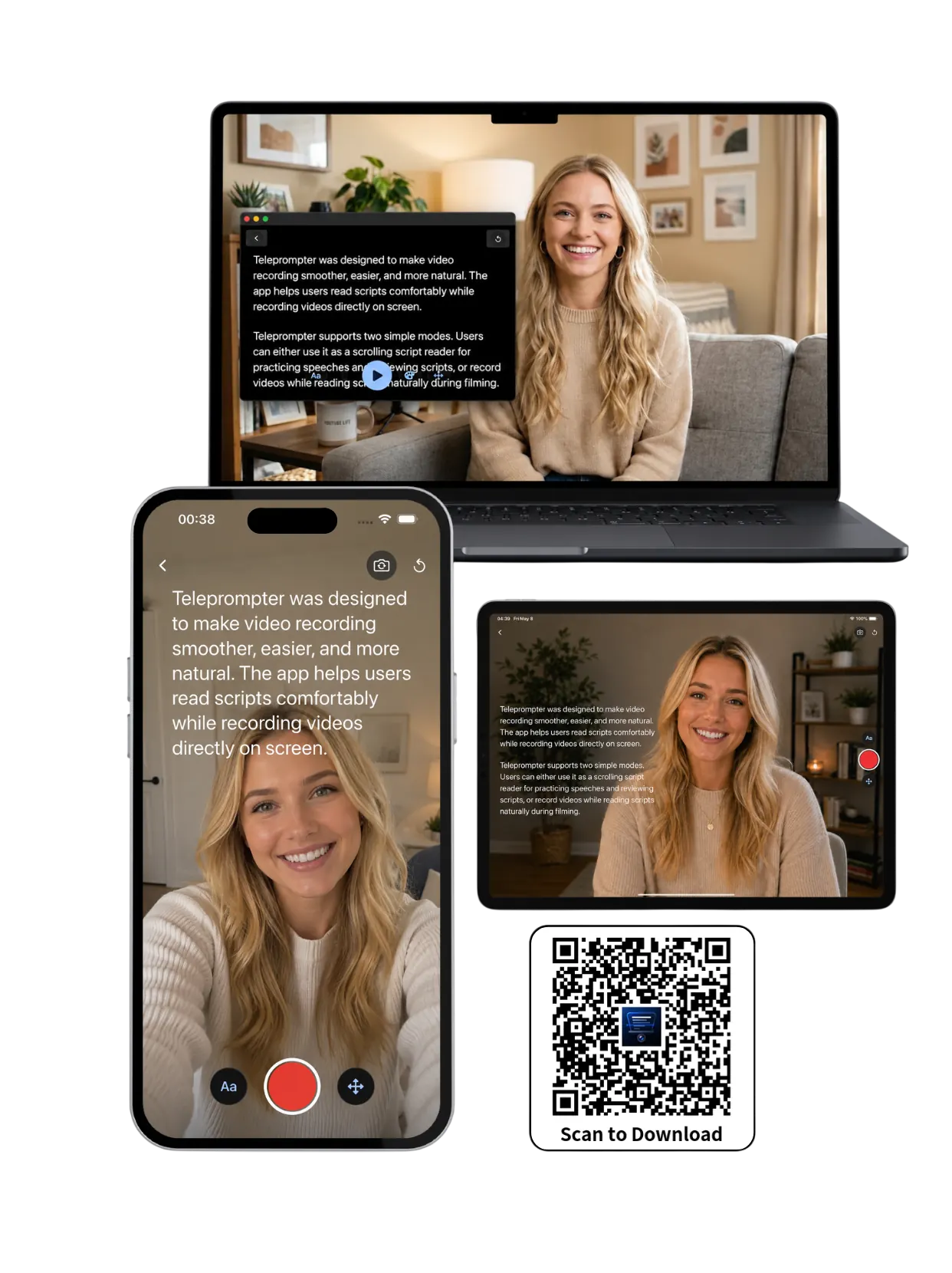
Read scripts naturally without memorizing every line
Built for creators who need a script reader, video teleprompter, and local-first recording workflow in one simple app.
One app. Every scene you film.
Perfect for TikTok, Reels, YouTube videos, interviews, online courses, presentations, livestreams, podcasts, and social content.
iPhone
Vertical and handheld — paste your script, use Camera mode, and keep 2–3 lines close to the lens.
Learn moreiPad
A large, readable canvas for long scripts, lessons, and prompter mode when you want the text front and center.
Learn moreMac
Desktop recording and longer sessions — tune the text area, line spacing, colors, and reading pace.
Learn moreWhy a local-first teleprompter app helps you sound natural
Create a script from text you write yourself or generate elsewhere, then read it offline in Prompter mode, Camera mode, or Voice mode.
Read without memorizing
A teleprompter app is most useful when it reduces retakes. Create a new script by typing or pasting prepared text, put it where your eyes naturally rest, and keep it readable from the actual distance you record.
Record on the device you already use
Use iPhone for short-form clips, iPad for long lessons and webinars, and Mac for Zoom calls, interviews, livestream notes, and desk recording. The same reading habit can move across devices.
Control the reading experience
Adjust the text area position and size, text color, line spacing, and scrolling speed so the script fits your camera angle, lighting, and reading habit instead of forcing a rigid read.
Features
Everything you need to sound confident on camera, with flexible controls for your reading habits.
-
Prompter, Camera and Voice modes
Use text scrolling with no camera, record with the built-in camera and script overlay, or capture audio in Voice mode.
-
Record videos while reading scripts
Camera mode overlays your script on the live iOS or Mac camera view.
-
Front & back camera support
Use the camera that fits the take, from selfie-style talking heads to product demos.
-
Voice commands in Prompter mode
Say next, previous, or pause to move three lines or stop the scroll hands free.
-
Adjustable scrolling speed
Slow down for emphasis or speed up when you know the beat.
-
Fully adjustable reading layout
Customize text size, text color, scrolling speed, text area size, and text area position.
What creators say
Real people, real recording workflows.
"Every teleprompter I tried was either expensive or buried in features I'd never use. I wanted something that opened fast, kept scripts private on-device, and stayed out of the way while I recorded. That's still what it does."
 Wendy Zhang
Founder, Teleprompter-Scrolling Scripts
Wendy Zhang
Founder, Teleprompter-Scrolling Scripts
"I shoot YouTube and TikTok with my iPhone and used to lose takes just stumbling over words. Now I hit record and the script scrolls — I can actually look at the lens instead of my notes. My delivery got noticeably more natural within a week."
 Maya Chen
Content Creator
Maya Chen
Content Creator
"My clients are executives who need to deliver prepared remarks without sounding like they're reading. This app lets them practice at the exact scroll speed that matches their delivery. The difference in confidence is immediate."
 James Holloway
Communication Coach
James Holloway
Communication Coach
Questions
Common setup questions before you hit record.
What is the best teleprompter app for iPhone, iPad, and Mac?
The best teleprompter app is one that keeps scripts readable, controls scroll speed smoothly, works across your devices, and lets you record without memorizing every line. Teleprompter-Scrolling Scripts supports iPhone, iPad, and Mac.
Can I record video while reading a script?
Yes. Camera mode uses the built-in iOS or Mac camera and overlays your teleprompter text on the live recording view.
Does the teleprompter app work offline?
Yes. The app is local-first, so you can create scripts, rehearse, and prompt without relying on a constant internet connection.
Can I use the app for TikTok, Reels, YouTube, and courses?
Yes. The app is designed for short-form videos, YouTube recordings, online courses, presentations, interviews, and livestream preparation.
Which device should I use for teleprompter recording?
Use iPhone for fast vertical clips, iPad for long scripts and lessons, and Mac for calls, livestreams, interviews, and desk recording.
What is the difference between Camera mode, Prompter mode, and Voice mode?
Camera mode records video with your script overlaid on the live camera view. Prompter mode displays scrolling text without recording anything, for use with a separate camera, a webcam, or a Zoom call. Voice mode records audio only, for podcasts, voiceovers, and singing along to lyrics. The simplest way to choose is to ask what file you want at the end of the take.
Related guides
Setup guides, app comparisons, and recording workflows.

Teleprompter for UGC Videos: Script Your Takes

UGC creators who script their videos get cleaner takes and stronger brand fit. A teleprompter for UGC videos makes shooting faster and repurposing easier.
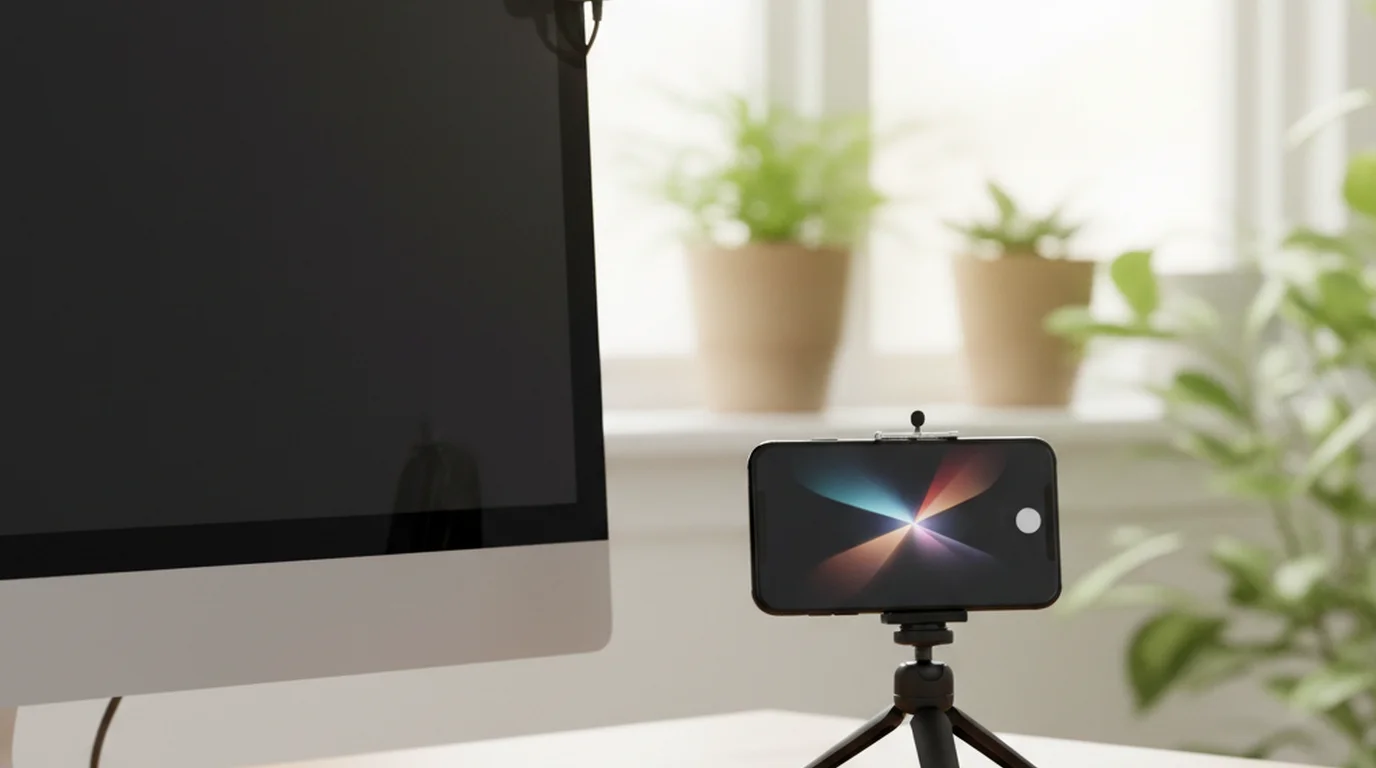
Webcam vs iPhone Camera for Video: Which One Should You Use?

Webcam vs iPhone camera for your next video? We compared image quality, convenience, audio, and software side-by-side. See which wins.

How to Script a YouTube Video (That Actually Sounds Like You)
Struggling to script YouTube videos without sounding robotic? Learn the exact hook-to-CTA structure, voice tips, and teleprompter workflow from Maya Chen.
Speak more confidently. Create more naturally.
Whether you’re filming TikTok videos, recording online courses, creating YouTube content, or practicing presentations, Teleprompter helps you stay on message.