5 Best Autocue Teleprompters for Creators in 2026
 Ryan Kowalski · August 15, 2026 · 8 min read
In British English it's an autocue; in American English, a teleprompter. Same idea — a scrolling script in front of the camera so you can read without breaking eye contact. The confusing part is how wide the category runs: a free browser tab, a phone app, a desk rig for a few hundred pounds, and broadcast systems that cost more than a used car. I tested five options on real scripts to sort out what actually works at each tier, from daily-use free tools to hardware worth buying only when your setup really needs it.
For most creators recording at home, Teleprompter-Scrolling Scripts is the autocue to start with — free, ad-free, and available in the browser and on iPhone, iPad, and Mac. CuePrompter is the lighter browser-only option when you just need a one-off read. If you're outfitting a studio, Autocue QMaster is the broadcast standard, Elgato Prompter suits a permanent desk setup, and Parrot Teleprompter is the cheapest beam-splitter rig when true on-lens eye contact matters. The first two cost nothing; the last three are hardware for serious on-camera work.
Want the software side only? The complete guide to free autocue apps compares the app options for iPhone, iPad, Mac, and browser in more depth.
How these autocue teleprompters were ranked
Three things separate usable autocue teleprompters from frustrating ones, and none of them appear on a spec sheet.
The first is how close the text sits to the lens. Eye-line is the whole point of the device — a script that forces your gaze even 15 degrees off-axis reads as "looking away" on camera, which is exactly the problem an autocue is supposed to solve. The second is control over scroll speed, because a fixed speed means either racing to keep up or waiting for the text. The third is whether the tool interrupts you: ads, forced accounts, watermarks, and export caps all break concentration at the moment you most need it.
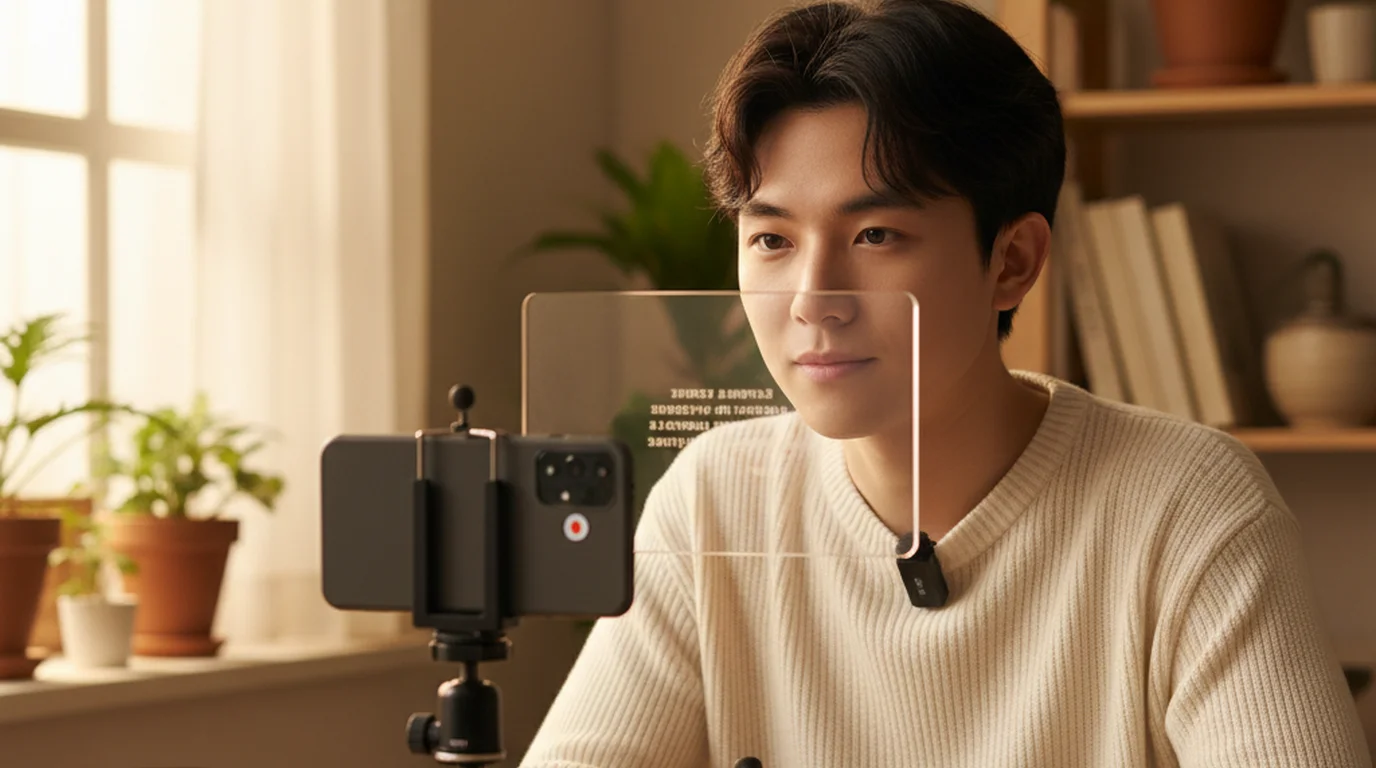
An autocue works by reflecting a screen off a half-silvered mirror angled at 45 degrees in front of the camera lens. The mirror is transparent from the camera side, so the lens records the presenter while the presenter reads the reflected text. App-based setups skip the mirror and place the screen immediately above or below the lens, trading a few degrees of eye-line accuracy for a setup that costs nothing.
1. Teleprompter-Scrolling Scripts — best free autocue teleprompter overall
Best for: almost everyone. Price: free, no account. Platforms: browser, iPhone, iPad, Mac.
It takes the top spot for a simple reason: it removes every friction point the others introduce, and costs nothing to find out. There are no ads, no account to create, no watermark on recordings, and no trial window that expires mid-project. The interface is deliberately minimal — paste a script, set the scroll speed, read — which matters more than a feature list when you are trying to hold a thought on camera.
The functional range is wider than most free tools. Camera mode records video with the script overlaid near the lens, so the phone is both autocue and camera. Prompter mode scrolls the script with the camera off, which is what you want for rehearsal, for a live presentation, or for reading during a video call while another app records. Scripts save locally and stay available offline, so a weak conference-centre connection has no effect on a take.
Two limits worth stating plainly. The native app is Apple-only — iPhone, iPad, and Mac — so Android users need the browser version instead. And with no beam splitter, the eye-line is a few degrees off perfect; position the device within about six inches of the lens and the difference stops being visible at normal framing.
Why it ranks first: every other free option on this list asks for something in return — an account, a watermark, an ad break, or a feature held back for a paid tier. This one does not, and it runs on both a browser and a phone. Start with the free online autocue if you would rather not install anything.
2. CuePrompter — simplest browser autocue
Best for: a one-off read at a desktop. Price: free. Platforms: any browser.
CuePrompter has been running since the early 2000s and has barely changed, which is both its strength and its ceiling. Paste text, pick a speed, and it scrolls full-screen. There is nothing to learn and nothing to install, and it consistently ranks at the top of search results for autocue and teleprompter queries because it does the one job without preamble.
What you give up is everything around that job. There is no recording, so you need a separate camera and a separate device. Formatting control is minimal, scripts are not saved between sessions, and the interface looks its age. On a phone it is awkward, because the layout was designed for a desktop monitor sitting above a webcam.
It is the right answer when a colleague needs to read something to a webcam once and you do not want to explain an installation. For anything recurring, the lack of saved scripts becomes a daily annoyance. If that is where you have landed, the CuePrompter alternative comparison covers what changes.
3. Autocue QMaster — the professional broadcast standard
Best for: studios and broadcast. Price: quote-based, typically four figures. Platforms: Windows, dedicated hardware.
Autocue is the company that gave British English the word. Founded in 1955, it still supplies prompting systems to broadcasters, and its QMaster software paired with on-camera or conference prompter hardware is what sits in front of news anchors and conference keynote speakers.
At this level the feature set is about reliability under live conditions rather than convenience: hardware scroll controllers, redundancy so a failure mid-broadcast does not black out the prompt, multi-camera prompting, newsroom system integration, and hardware built for continuous operation. The mirror glass and mounting are engineered for studio cameras rather than phones.
For a solo creator this is unambiguously the wrong purchase — the cost is measured in thousands and the setup assumes a studio. It earns its place here because searches for "autocue teleprompter" frequently mean this company's equipment, and because it explains why the term exists at all.
4. Elgato Prompter — best desk hardware
Best for: streamers and frequent on-camera recording. Price: around $299. Platforms: Windows, macOS.
The Elgato Prompter is a 9-inch display in a mount that sits directly in front of a camera or webcam, giving you a true on-lens read without improvising a phone holder. Because the display is dedicated, your phone stays free and the text sits exactly where it should, every session, without repositioning.
The software integrates with Camera Hub and Stream Deck, so scroll speed and start or stop can be bound to physical keys — genuinely useful when your hands are otherwise occupied mid-stream. It also doubles as a second monitor for chat or notes when you are not prompting.
The trade-off is cost and permanence: $299 buys a device that lives on one desk. If you record several times a week at the same station, it removes a small setup ritual every time. If you film in different places, a phone-based autocue travels better. The full Elgato Prompter review covers the setup in detail.
5. Parrot Teleprompter — cheapest real beam-splitter rig
Best for: true on-lens eye contact on a budget. Price: roughly $80–$130. Platforms: uses your phone as the display.
Parrot makes a compact beam-splitter that mounts to a camera or tripod and uses your own phone as the screen. That combination gives you the optical arrangement the professional systems use — genuine mirror-reflected text on the lens axis — at a fraction of the price, because you supply the display.
It needs an app to mirror the text correctly, since a beam splitter reverses the image, and any teleprompter app with a mirror mode handles that. Assembly takes a few minutes the first time and the rig adds bulk to a camera bag, so it suits planned shoots more than spontaneous ones.
Choose it when perfect eye-line genuinely matters — client work, interviews, talking-head content where the audience is close to the frame. For everyday recording, the software-only approach at the top of this list gets you most of the way for nothing.
Autocue teleprompters compared
| Autocue | Type | Price | Records video | Ads or account | Best for |
|---|---|---|---|---|---|
| Teleprompter-Scrolling Scripts | App + browser | Free | Yes | Neither | Everyday use |
| CuePrompter | Browser | Free | No | Neither | One-off desktop reads |
| Autocue QMaster | Software + hardware | Four figures | No | Account | Broadcast studios |
| Elgato Prompter | Hardware display | ~$299 | No | Account | Fixed desk setups |
| Parrot Teleprompter | Beam-splitter rig | ~$80–$130 | Uses your phone | Neither | On-lens eye contact |
The pattern is worth noticing: the two free entries are software, and the three paid entries buy optics and permanence rather than better prompting. Unless eye-line precision is critical to your work, the software tier is where the value sits.
Which autocue teleprompter should you choose?
Start with the free app or browser autocue. For the overwhelming majority of recording — YouTube, courses, presentations, social video, client updates — a phone or laptop running a scrolling script placed near the lens is sufficient. It costs nothing to establish whether an autocue helps your delivery at all, which is the question to answer before spending anything.
Add a beam splitter if eye contact is scrutinised. Interviews, close framing, and client-facing work are where a few degrees of off-axis gaze become visible. That is the Parrot tier.
Buy a dedicated display if you record constantly from one desk. The Elgato removes a repeated setup step. It is a convenience purchase, not a capability one.
Specify a broadcast system only for broadcast. If you are equipping a studio with multi-camera prompting and live redundancy, that is what Autocue's professional range exists for.
Setting up a phone-based autocue in 5 minutes
If you want to try an autocue today without buying anything, this is the quickest path. On a desktop or a locked-down work machine, skip step 1 and open the online autocue in a browser instead — the remaining steps are identical.
- Download Teleprompter-Scrolling Scripts, free from the App Store.
- Paste or type your script into the app.
- Set the font large enough to read from your recording distance — 48–60pt suits most setups.
- Set the scroll speed to your speaking pace. Start at a medium setting and adjust after a test take.
- Position the device directly above or below the lens, within six inches. Closer means less visible eye-line offset.
- Record 30 seconds, watch it back, and adjust the speed.
Script to first usable take normally takes under ten minutes. For more on how the underlying technology works, see the explainer on what a teleprompter is.
Frequently Asked Questions
What is the best autocue teleprompter?
For most people it is Teleprompter-Scrolling Scripts, because it is free with no ads or account, records video through Camera mode, and runs on iPhone, iPad, Mac, and in any browser. If you need true on-lens eye contact, a beam-splitter rig such as Parrot paired with a phone is the cheapest way to get it. Broadcast studios use Autocue's professional QMaster systems.
Is autocue the same as teleprompter?
Yes. Teleprompter is the American English term, taken from the Teleprompter Corporation that invented the device in 1950. Autocue is the British and Commonwealth equivalent, from Autocue Ltd., founded in 1955. Both describe a device that scrolls a script in front of a camera lens so a presenter can read while maintaining eye contact. The technology, hardware, and apps are identical — only the word differs by region.
What does autocue mean?
An autocue is a device that displays a scrolling script for a presenter to read while looking at a camera or audience. The word began as the brand name of Autocue Ltd., a British company founded in 1955, and became the generic term across the UK, Australia, and much of the Commonwealth — the same way "Hoover" became the generic word for a vacuum cleaner in British English.
Is there a free autocue app?
Yes, and more than one. Teleprompter-Scrolling Scripts is free on iPhone, iPad, and Mac with Camera mode, scroll speed control, font adjustment, and offline use, with no account required. CuePrompter is a free browser autocue with no download. Most other iOS autocue apps are free to install but hold their useful features behind a subscription.
How does an autocue work?
An autocue reflects a screen off a half-silvered mirror set at 45 degrees in front of the camera lens. The mirror is transparent from the camera side, so the lens records the presenter while the presenter reads the reflected script and appears to look directly into the lens. App-based setups place the screen just above or below the lens instead, skipping the mirror.
Can I use an autocue with my phone?
Yes, in two ways. The simplest is to run an autocue app on the phone and position it just above or below your camera lens — no extra hardware needed. For true on-lens eye contact, a beam-splitter hood costing roughly $80 to $130 mounts over the camera and reflects the phone screen toward you while staying transparent to the lens.
Ryan KowalskiRyan Kowalski reviews iOS and macOS apps for content creators, with a focus on teleprompter, camera, and productivity tools. His rule: use an app daily for at least two weeks before writing a word about it.
The free autocue that ranks first on this list
Teleprompter-Scrolling Scripts is deliberately minimal — paste a script, set the scroll speed, read. Free, with no account, and it works offline on iPhone, iPad, and Mac. Or open the browser autocue and start in one click.
Open the Free Online Autocue Use Free Online Teleprompter Get the Free App