How to Build a YouTube Channel Without Ever Appearing on Camera
 Lauren Mercer · Jul 4, 2026 · 9 min read
I've built online courses and helped dozens of creators develop content strategies since 2020. The question I get most consistently from creators who aren't comfortable on camera: can I build a real audience without showing my face? The answer is yes — with a specific approach that most faceless channel guides skip entirely.
Faceless video channels work. There are channels with millions of subscribers and six-figure AdSense income that have never shown the creator's face. The format isn't a compromise — in many niches, it's the optimal approach, because it removes the personal brand bottleneck and allows for faster, more scalable content production.
But most guides to building a faceless YouTube channel focus on the technical setup and miss the more important variable: the quality of the script. Faceless video lives or dies on audio and writing, because there's no on-camera personality to carry weak material. Understanding this changes how you approach the format.
What Faceless Video Actually Is (And Isn't)
A faceless video is any YouTube video where the creator doesn't appear on camera. The visual layer — what viewers see — can be:
- Screen recordings: The creator's screen while they narrate (tutorials, software demos, gameplay)
- Stock footage: Curated B-roll paired with voiceover narration
- Text on screen: Quotes, data, or script text animated over background visuals
- Animation: Whiteboard animation, 2D motion graphics, or AI-generated animation
- Product footage: Close-up filming of objects, locations, or processes
- A combination: Most successful faceless channels mix two or three of these
What faceless video is not: a shortcut to avoid preparing content. The most common mistake is treating the faceless format as lower-effort. It's actually higher-effort in the scripting and audio phase, because those are the only elements the viewer has to engage with.
Niches Where Faceless Video Works Best
Not every topic works equally well without a face on camera. The niches where faceless channels consistently build large audiences:
Finance and investing: Personal finance, investing strategy, and budgeting content work extremely well as faceless channels because the audience cares about the information, not the personality delivering it. Charts, stock tickers, and data visualisations make compelling visuals without a person on screen.
History and documentaries: Historical content is built on archival footage and images. Narrated history channels like those covering military history, ancient civilisations, and famous events are a natural fit for faceless production.
True crime: One of the most successful faceless niches on YouTube. The visual layer is typically crime scene photos, news footage, and text overlays. The audio — pacing, tone, delivery — is the primary engagement driver.
Meditation and ambient content: Sleep music, lo-fi study music, nature sounds, and guided meditation channels are faceless by definition. Visuals are typically scenery or abstract animation loops.
Tutorial and how-to content: Screen recording tutorials, cooking close-ups, and craft demonstrations work as faceless because the action on screen is the content.
Niches where faceless video is harder: Vlogs (the audience wants a person to follow), fitness (form demonstration requires a body on screen), and any content where parasocial connection with a specific person is the primary draw.
The Script Is More Important for Faceless Than On-Camera
On-camera creators can compensate for a weak script with energy, reaction, and personality. Faceless creators can't. When there's no face, the script and voice are all the audience has. This means:
Structure matters more. Every section of a faceless video needs a clear purpose. Dead air — content that exists to fill time — is more obvious and more damaging in faceless content than in on-camera content where personality fills the gap.
Word choice matters more. Spoken language in faceless video needs to be precise and engaging without facial expression to reinforce meaning. Vague language sounds vaguer when there's no physical performance softening it.
Pacing matters more. A strong on-camera personality can hold attention across a slightly slow section. A faceless video at the wrong pace loses the viewer.
This is why the faceless channels that succeed are consistently those where the creator treats the script as the primary product — not the editing, not the thumbnail, not the upload frequency.
Writing a Faceless Video Script
The structure that works for most faceless educational and informational content:
Hook (first 15–30 seconds): State the central claim or question directly. "In 2023, 40% of new YouTube channels launched without the creator ever appearing on camera — and 12% of them crossed 10,000 subscribers within 18 months." A specific claim with a number creates immediate credibility and curiosity.
Context (30–90 seconds): Set up why this matters. What does the audience need to understand before the content is useful to them?
Core content (main body): Broken into clearly labelled sections with transitions. For faceless video, explicit verbal transitions are more important than in on-camera content because the audience doesn't have visual cues to signal when you're moving to a new topic.
Resolution or close: What should the audience do with what they've just learned? A single clear next step — not five.
A 10-minute faceless video at 140 words per minute runs approximately 1,400 words. At a tighter 150 words per minute, 1,500 words. Write to that count for a 10-minute target. Every sentence should be saying something or building to something — if you're reading a sentence and it neither informs nor advances the argument, cut it.
Voiceover: The Element Most Faceless Creators Underinvest In
The quality gap between successful and unsuccessful faceless channels is more often audio quality and voiceover delivery than video quality.
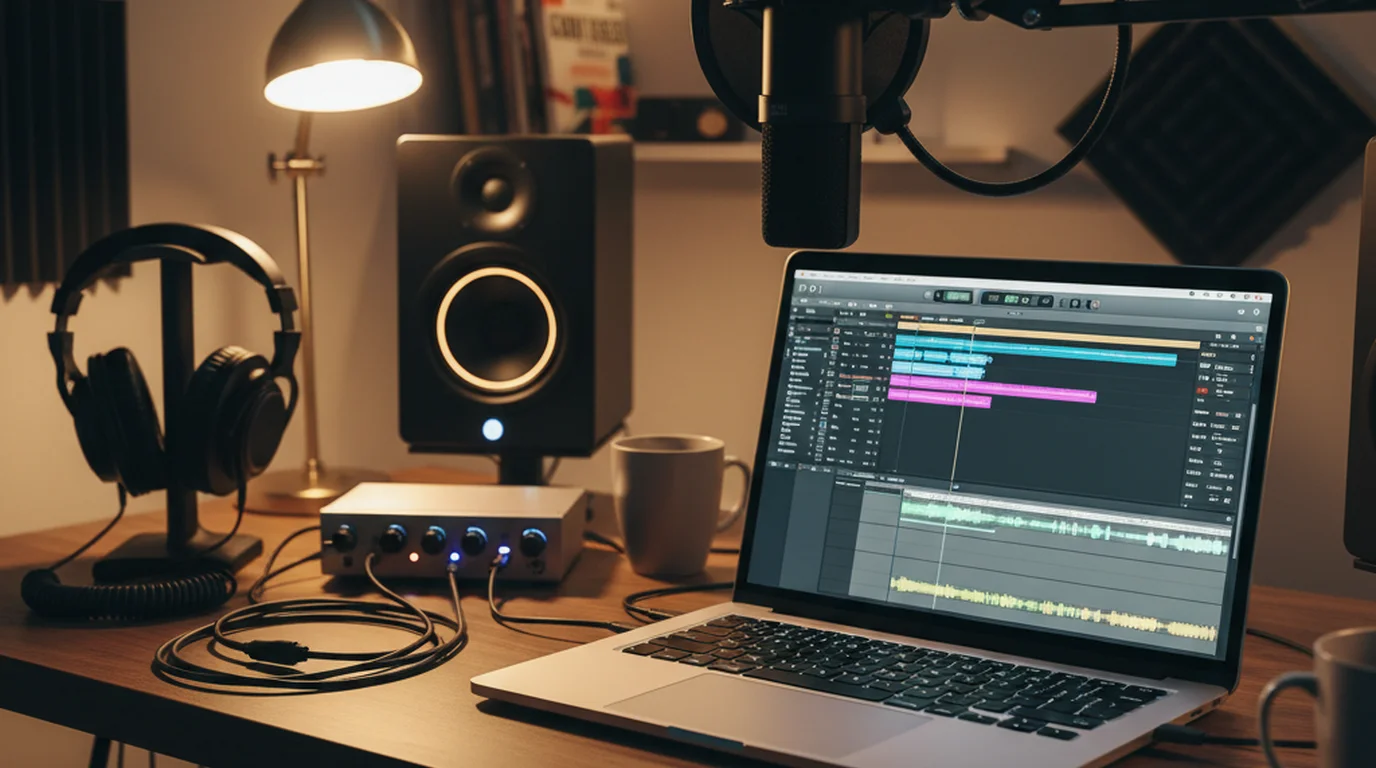
Microphone: A $70–150 USB condenser microphone (Audio-Technica AT2020 USB, Rode NT-USB Mini) produces noticeably better audio than a laptop mic or headset mic. For faceless video where the voice is the primary engagement element, microphone quality has a direct ROI.
Recording environment: Audio recorded in a treated room (soft furnishings, no hard surfaces) sounds professional. Audio recorded in a live room (tile floors, bare walls) sounds amateur regardless of microphone quality. A bedroom with carpeting and a bookcase behind the mic is sufficient.
Delivery pace: Most first-time voiceover creators record too fast. Script delivery for YouTube voiceover should feel uncomfortably slow to the reader — at that pace, it sounds clear and measured to the listener. Record a test section, play it back, and if you wouldn't pause slightly before listening, you're probably speaking too fast.
Script delivery tools: For faceless video creators who record voiceover on iPhone, positioning the script in a teleprompter app and reading while recording audio (using the iPhone's microphone) keeps the delivery continuous and eliminates the stop-start of reading from paper or a second screen. Teleprompter-Scrolling Scripts works for audio-only recording as well as camera recording — you can mute the camera output and use the scrolling text purely as a reading aid.
The video script mistakes guide covers the specific writing patterns that make scripted delivery sound stilted or robotic — all of which apply more strongly to faceless voiceover than to on-camera delivery.
Sourcing Visuals for Faceless Video
The visual layer of a faceless video needs to be relevant, not distracting. Viewers watching a finance channel explanation of compound interest don't need elaborate animation — they need clear, relevant visuals that don't pull attention away from the audio.
Stock footage: Pexels (free), Pixabay (free), and Storyblocks (subscription) cover most general faceless content needs. Be specific in searches — "person writing at desk" produces more usable results than "business."
Screen recording: For tutorial content, OBS Studio (free), Loom, or QuickTime (Mac, free) all capture screen and audio simultaneously. This is the simplest faceless setup for software-focused content.
Text animation: CapCut, Adobe Premiere, and DaVinci Resolve all include text animation presets that work for faceless educational content without requiring motion design skills.
AI-generated video: Tools like Runway and Pika Labs generate short video clips from text prompts. They work well for abstract background visuals but don't yet reliably produce realistic human or complex scene footage for production use.
Monetisation for Faceless YouTube Channels
Faceless channels monetise through the same channels as on-camera channels — AdSense, sponsorships, affiliate links, and digital product sales. The difference is in how sponsorships work.
AdSense: Identical to on-camera channels. RPM (revenue per thousand views) depends on niche, not on whether the creator appears on camera. Finance and business channels average $5–30 RPM; entertainment and gaming channels average $1–5 RPM.
Sponsorships: Faceless channels handle brand integrations through voiceover mentions and on-screen text or graphics, rather than personal endorsements. Some sponsors prefer the endorsement feel of an on-camera creator. Others — particularly SaaS tools, financial products, and B2B services — work perfectly well with voiceover-based integrations. The channel's audience size and engagement rate matter more than format for most sponsors.
Affiliate links: Particularly effective for faceless channels in product review, finance, and software niches. The audience trusts the recommendation based on information quality, not personal familiarity with the creator.
Digital products and courses: This is where the faceless format has one structural advantage: the audience relationship is content-based, not personal-based. A faceless channel about personal finance can sell a financial planning course just as effectively as an on-camera channel, because the authority is built on the content's accuracy and usefulness, not on parasocial connection.
Scaling a Faceless Channel
One reason faceless channels appeal to experienced creators: the format scales more easily than personal channels.
With an on-camera channel, production bottlenecks at the creator's personal time — filming is one step that can't be easily delegated. With a faceless channel, research, scripting, voiceover, and editing can all be separated into distinct tasks and delegated to different people. A team of researcher + writer + voiceover artist + editor can produce more content than a single on-camera creator working alone.
The most successful faceless channels with large teams typically maintain quality by keeping the editorial direction with one person (the channel owner who defines the content standards, voice, and thesis of each video) while delegating execution. The script is the primary creative output of the channel owner; production is a process.
This scaling model doesn't apply to channels where the personal brand of the creator is the product — but for informational, educational, and entertainment channels where the content is the product, it's a meaningful structural advantage.
The script remains the creative bottleneck even in a scaled team. The person responsible for the script controls the quality ceiling of the channel — and tools that make scripting faster and more reliable, like the AI script generator guide, are the highest-ROI investment for faceless channel operators who want to increase publishing frequency without sacrificing content quality.
Lauren Mercer is an online course creator and video content strategist who has built and sold courses on scriptwriting, on-camera and voiceover delivery, and video content workflows since 2020.
Frequently Asked Questions
Can faceless videos make money?
Yes — faceless YouTube channels monetise through AdSense like any other channel, and many faceless channels perform significantly better than on-camera alternatives in specific niches. Finance, history, true crime, meditation, and ambient content channels regularly reach 100k+ subscribers as faceless channels. The key variable isn't whether your face is on screen — it's whether the content is compelling enough for viewers to stay and return.
What is a faceless video?
A faceless video is any video content where the creator doesn't appear on camera. Instead, visuals might include screen recordings, stock footage, animations, text on screen, product close-ups, or ambient video, paired with a voiceover or on-screen text. Faceless videos separate the creator's identity from the channel identity, which allows for more scalable production (hiring voiceover artists, delegating research) and eliminates camera anxiety as a barrier to publishing.
Is Faceless video free?
Faceless.video (a specific AI tool for generating faceless content) has a free tier with limited credits and a paid subscription for unlimited use. Faceless video as a content format — creating YouTube videos without appearing on camera — requires no specific tool and costs nothing beyond your regular production setup. Many successful faceless channels are built using only a microphone, screen recording software, and stock footage sites, many of which have free tiers.
How to make a video faceless?
The core process: write a script, record a voiceover, pair the audio with relevant visuals (screen recordings, stock footage, animations, or text on screen), edit, and publish. The visual layer is what replaces your face on camera. For screen recording content (tutorials, software reviews), the screen is the visual. For educational or informational content, stock footage or simple text animations paired with a high-quality voiceover is the standard approach.
What equipment do I need for a faceless YouTube channel?
The minimum functional setup: a decent USB microphone ($70–150), screen recording software (OBS Studio is free), and access to stock footage sites (Pexels and Pixabay have free libraries). You don't need a camera, lighting equipment, or a dedicated studio. The equipment investment for faceless video is substantially lower than on-camera content because audio quality is the primary production differentiator — a $100 microphone recording in a treated room outperforms an expensive camera with poor audio.
How long does it take to grow a faceless YouTube channel?
Growth timelines for faceless channels follow the same patterns as on-camera channels and depend on niche competition, content quality, and upload consistency. In lower-competition niches (some finance categories, local history, niche education), channels reaching 1,000 subscribers in 6–12 months of consistent weekly uploads are achievable. In high-competition niches, the timeline is longer. The faceless format itself doesn't accelerate or slow growth relative to on-camera content of equivalent quality — the algorithm responds to watch time and engagement, not to whether a face appears on screen.
Complete guide: The Solo Content Creator's Complete Guide (2026) — scripting, delivery, camera setup, platform strategy, and the free tools every solo creator needs.
Lauren MercerLauren Mercer builds and sells online courses on scriptwriting, on-camera delivery, and video production workflows. She writes about the full path from script to screen — AI writing tools, recording setups, and the friction points that slow down solo educators.
Script Your Voiceover. Deliver It Naturally.
Teleprompter-Scrolling Scripts works for audio-only voiceover as well as camera recording — scroll your script while recording iPhone audio without looking down at notes.
Use Free Online Teleprompter Get the Free App