Cue Cards vs Teleprompter: Which One Works Better?
 James Holloway · May 30, 2026 · 7 min read

Every week a client asks me some version of the same question: "Should I use cue cards or a teleprompter?" My answer is always the same: it depends — but not on the factors most people think. The right delivery aid comes down to your environment, the precision your words require, and one issue that almost nobody talks about honestly: where your eyes are during the speech. I've coached hundreds of speakers across executive presentations, academic conferences, keynotes, and video productions. In that time, I've watched cue cards rescue speakers and ruin them.
Cue cards win in live, low-tech, flexible speaking environments. A teleprompter wins on camera, in scripted speeches where exact wording matters, and any time a speaker's anxiety causes them to lose their place mid-sentence.
What Cue Cards Are — and How They Actually Work
Cue cards are small, usually index-card-sized prompts a speaker holds during a presentation. They are frequently written as queue cards, which is a misspelling rather than a variant — a queue is a line of people, while a cue is a signal to act. Some broadcast and theatre crews shorten them to Q cards, which is where the confusion started. The key word in "cue" is the operative one: these cards are meant to cue memory, not replace it. A well-made cue card holds a keyword or phrase — the opening word of a transition, the name of a statistic, the order of three supporting points. It is an outline in physical form.
The problem comes when speakers misuse cue cards by writing full sentences on them — essentially turning the cards into a low-resolution manuscript. At that point, the speaker is reading, not presenting, and they're doing it while breaking eye contact every few seconds to look down. When I see cue cards done right, they look nearly invisible. The speaker glances down for half a second, catches a two-word cue, and returns their gaze to the audience.
What a Teleprompter Does
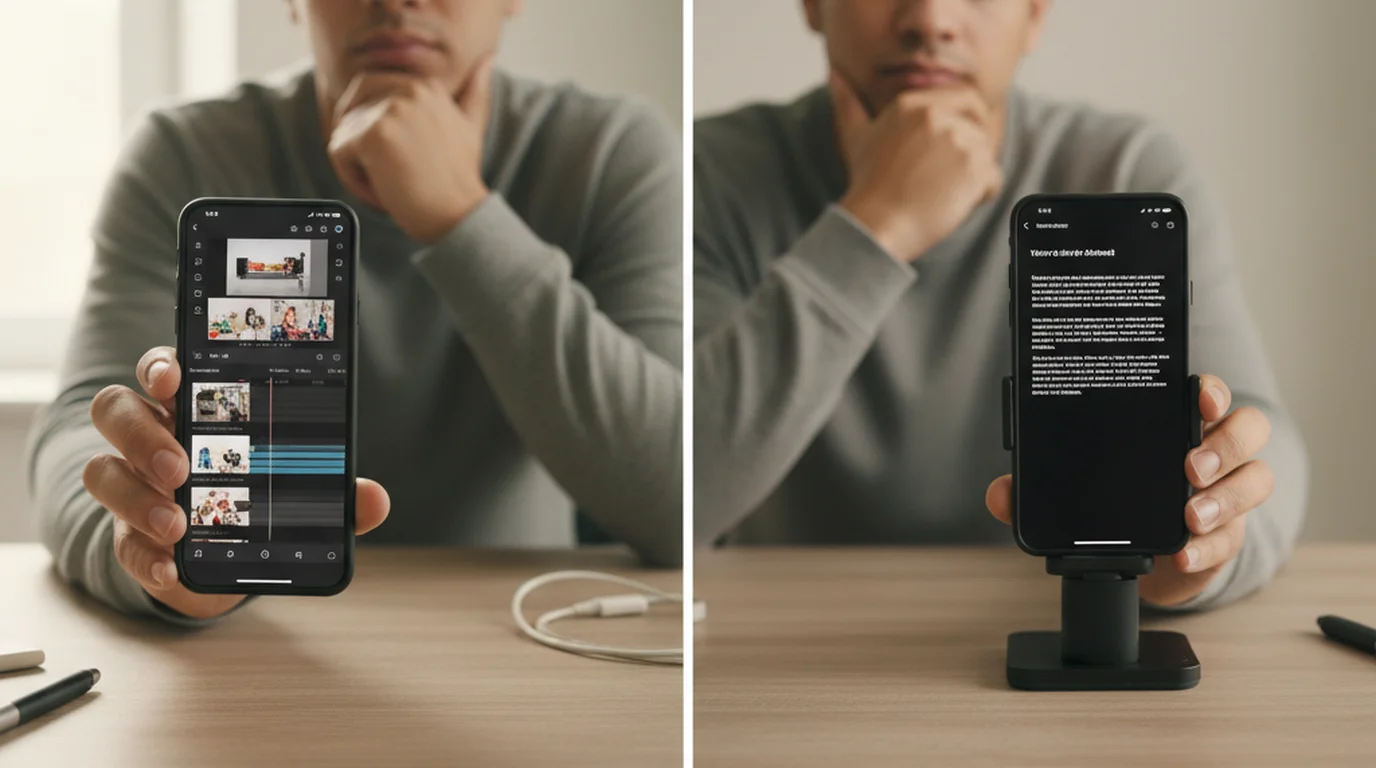
A teleprompter scrolls text in front of a speaker at a controlled pace, allowing them to read a complete script while maintaining the appearance of eye contact. In a broadcast or live stage setup, this is done with a beam-splitter mirror in front of the camera lens. In a modern app-based setup, it's done with a phone or tablet positioned at or near eye level.
The scrolling speed is the central variable. A teleprompter set to the speaker's natural pace — which typically runs between 130 and 160 words per minute for conversational delivery — lets them read without rushing or dragging. A teleprompter used well looks like nothing at all. A teleprompter used poorly — wrong scroll speed, wrong font size, text too far from the lens — produces the glazed stare and monotone delivery that gives prompter use a bad reputation.
The Eye Contact Problem: Where Both Methods Stand
Eye contact functions differently in live presentations versus on-camera recording. In a live setting, eye contact means visual connection with individual audience members — it signals confidence, engagement, and credibility. Cue cards create a fundamental eye contact interruption. Every glance down breaks the visual line. A speaker who glances down six times per minute — not unusual when working from cards — is breaking audience connection six times per minute.
A teleprompter, properly positioned, keeps the speaker's gaze level and forward throughout delivery. In a live stage setting, the gaze sweeps naturally across the room. On camera, the text sits inches from the lens — so reading the script and looking into the camera are the same action.
According to a 2019 study published in the Journal of Applied Communication Research, speakers who maintained sustained eye contact were rated 32% higher on credibility scales by audiences than those who frequently looked down at notes. This effect held across both live and recorded speech formats.
For on-camera recording specifically — YouTube content, corporate video, Instagram Reels, online courses — cue cards create a structural problem with no good workaround. The camera lens is a fixed point. Looking at cue cards means looking away from the lens, and the viewer experiences that as the speaker looking away from them.
Where Cue Cards Have a Real Advantage
Live stage presentations with no camera. When you're speaking to a room and the primary goal is connection with a live audience, cue cards offer flexibility that a prompter can't match. If the audience response shifts your energy, you can adjust. A teleprompter locks you into a pre-written sequence.
Low-tech or tech-unreliable environments. I've coached speakers who have presented in venues with no reliable power, unstable Wi-Fi, or AV setups they've never seen before. In those situations, cue cards never crash, never lose connectivity, and never require a sound technician to sort out.
Extemporaneous speaking that needs prompts, not a script. For speakers whose strength is natural conversation — who are brilliant in the room but freeze when reading — cue cards that capture key transitions and data points let the natural voice come through while preventing the "blank mind" panic.
Speeches where the audience expects flexibility. A wedding toast, a panel discussion, an after-dinner address — these settings have an informal register. The social expectation is of something personal and present. Cue cards fit the register.
Where a Teleprompter Is Clearly the Better Choice
Any on-camera video recording. If you're recording video for any platform — YouTube, TikTok, Instagram, LinkedIn, internal corporate video — and you need a script, use a teleprompter. The eye contact problem with cue cards on camera is the difference between a video that feels like someone is talking to you versus one that feels like someone reading to an invisible person off-screen.
Scripted speeches where exact wording matters. Legal statements, medical briefings, earnings calls, official apologies, policy announcements — these are contexts where one wrong word has consequences. A teleprompter lets you deliver your script verbatim while still looking composed and present.
Speakers who lose their place under pressure. Anxiety narrows cognition. A speaker who functions brilliantly in rehearsal can go mentally blank in front of 300 people. For these speakers, the scrolling text of a teleprompter is a genuine safety net — it carries the speech forward even when working memory is under load.
A 2023 Content Marketing Institute survey found that 71% of video creators who consistently publish more than two videos per week use a teleprompter or scripted delivery tool. Among solo creators specifically, teleprompter app adoption grew by 38% between 2021 and 2023, driven primarily by quality and consistency concerns rather than production budget.
For content creators producing regular video, using a teleprompter app is increasingly the baseline expectation, not a professional luxury. An app like Teleprompter-Scrolling Scripts on iPhone, iPad, or the Mac app gives you scrolling script delivery, camera recording, and speed control in one place, without the cost or setup complexity of a hardware rig.
What I Tell My Clients
If you're speaking live to a room, you have flexibility, your content doesn't need to be verbatim, and you're a reasonably confident speaker: use cue cards, and practice using them until the glances are invisible.
If you're recording video, delivering a scripted speech where words matter, or you know anxiety is going to hit you: use a teleprompter. Don't fight the tool because it feels like a crutch. Anchors use teleprompters. CEOs use teleprompters. The question isn't whether the tool is legitimate — it is — the question is whether you're using it well.
Many of the most effective speakers I've worked with use a teleprompter for the scripted core of a speech and then set it aside for Q&A or audience interaction, picking it back up for the closing. That hybrid approach gets the best of both.
For anyone starting to explore teleprompter options, I consistently point people toward native apps rather than web-based tools. Teleprompter-Scrolling Scripts works across iPhone, iPad, and Mac with a clean interface and no subscription.
Frequently Asked Questions
Are cue cards unprofessional for presentations?
Not inherently — but they can look unprofessional if handled poorly. A speaker who shuffles through cue cards, reads long sentences verbatim, or loses their place breaks audience trust. Used well, with brief keyword prompts and strong eye contact, cue cards read as natural and prepared. The problem is that 'used well' takes more practice than most speakers realize.
Does using a teleprompter look obvious to the audience?
In a live setting with a floor or podium prompter, most audiences don't notice — especially if the speaker varies their gaze and has practiced pacing. On camera, a well-positioned teleprompter is essentially invisible: the viewer sees the speaker looking directly at the lens, which reads as direct eye contact. The tell is unnatural blinking patterns or robotic, unchanging scroll speed.
Can I use cue cards for a video recording?
Technically yes, but it creates real problems. The speaker must look down or to the side to read, which breaks gaze with the camera lens — the equivalent of looking away from every viewer simultaneously. For any on-camera recording, a teleprompter is a much better solution. Even a simple app on a phone or tablet does the job.
What should I write on cue cards?
Keywords and short phrases, not full sentences. Write the first two or three words of each key idea — enough to trigger recall without reading verbatim. Limit each card to five or six bullet points, use large clear print, and number every card. The goal is a memory prompt, not a script.
Is a teleprompter app good enough, or do I need a hardware prompter?
For most content creators, presenters, and even many professional on-camera speakers, a teleprompter app on an iPhone or iPad is fully adequate. Hardware prompters (beam-splitter setups in front of a lens) offer advantages in broadcast and studio settings, but an app positioned near the camera gives you the same functional result — scrolling text at eye level — without the cost or setup time.
How do you hold cue cards without it looking obvious?
Hold cards at chest height in your non-dominant hand, angled slightly toward you rather than flat. Keep the card edges below the camera frame if filming, or below the audience's sightline if presenting live. Use large print (minimum 24pt for arm's-length reading, 36pt+ for further distances) so you don't need to look down noticeably. The biggest visual tell with cue cards is glancing sharply downward — practice reading with only your eyes, not your whole head, dropping. Number cards clearly and keep them in a consistent stack hand to prevent the shuffle panic that disrupts delivery when a card gets out of order.
Is it queue cards or cue cards?
Cue cards is correct. A cue is a signal that prompts an action, which is exactly what the card does — it cues the next point. A queue is a line of people waiting. "Queue cards" is one of the most common misspellings in presentation advice, probably reinforced by the broadcast shorthand "Q cards," where the Q stands for cue. If you are searching for supplies or guidance, cue cards will get you what you want.
What are Q cards used for?
Q cards are cue cards — the abbreviation comes from studio and theatre crews, where a stage manager holds up cards to cue a presenter or performer. On a television set, large Q cards positioned beside the camera were the standard prompting method before the electronic teleprompter, and they still turn up for short segments, live audience shows, and situations where a scrolling script would be overkill.
James HollowayJames Holloway coaches executives, founders, and professionals on scripted delivery and on-camera presence. His writing covers speech structure, words-per-minute pacing, and why most people's instincts about eye contact work against them.
Try teleprompter delivery — free, no account required
Teleprompter — Scrolling Scripts is free for iPhone, iPad, and Mac. No subscription, no account. See what scripted delivery looks like when the script is invisible to your audience.
Use Free Online Teleprompter Get the Free App